RSS Feed to Email: A Guide to Automated Campaigns (2026)
RSS feed to email turns repeat publishing into automated distribution. This guide explains when RSS campaigns make sense, how to choose a tool, configure feeds, design templates, and optimize automated sends for engagement.

RSS to email is old technology that keeps beating newer automation stacks for one unglamorous reason: it removes the step that fails most often, which is a person remembering to build the send. Your platform watches a feed, pulls new items, and mails them on a schedule you control.
That makes it a distribution layer rather than a blog-promotion trick. Product drops, release notes, course lessons, help-center updates, and recurring editorial all run on the same machinery.
What RSS automation actually solves
The value is operational. A content team updates the blog, changelog, or product catalog once, and email keeps pace without campaign assembly every time. Four failures disappear with it.
Publishing and promotion stop drifting apart, so the post going live and the email going out are the same event. Cadence survives busy weeks, which matters because an interrupted weekly send trains subscribers to ignore the program. Knowledge base articles and changelogs stop rotting in the CMS. And skilled marketers stop rebuilding the same layout every Tuesday.
The rule is short: if content comes from a repeatable source, it deserves a repeatable distribution path.
Which is different from saying every feed item should reach every subscriber. Strong RSS programs filter hard. A store might send only one high-margin category; a SaaS company might route feature releases to active customers while keeping internal changelog noise away from prospects. For how this fits into a wider lifecycle program, the email marketing automation guide covers the system around it.
Choosing a tool
The wrong tool creates manual cleanup, weak segmentation, and reporting gaps before the first campaign ships.
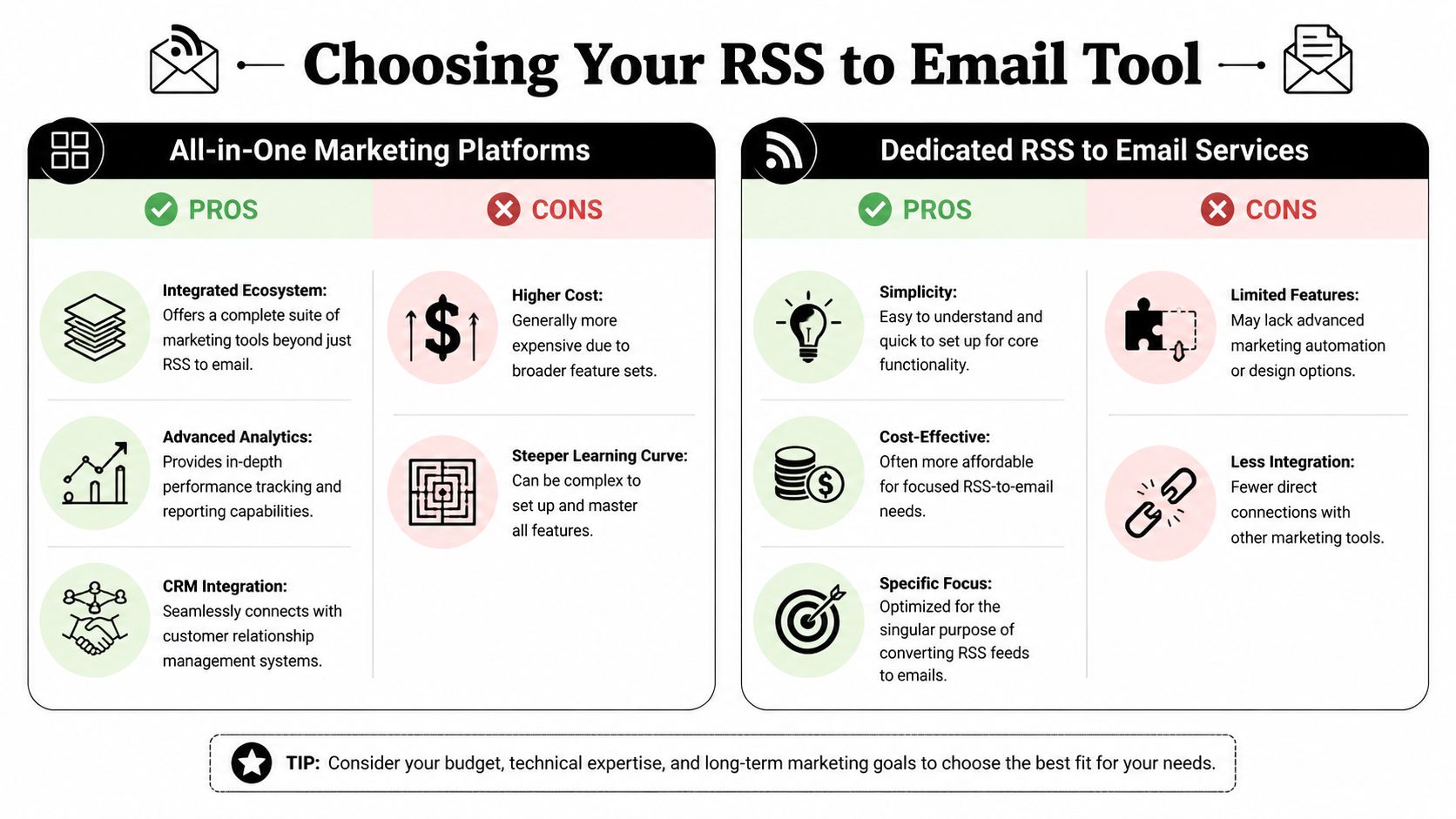
Dedicated RSS-to-email services fit narrow use cases well. A solo publisher who needs post alerts with light branding gets set up faster and has fewer moving parts to break. All-in-one platforms earn their cost once RSS feeds a broader lifecycle program, because then segmentation, suppression logic, template control, and deliverability settings matter more than getting a feed live in ten minutes.
Feature lists are a weak buying method. Compare tools by failure point instead, because RSS automations break in predictable places:
- Feed flexibility. Multiple feeds, category filters, custom fields, and item limits without workarounds.
- Template control over images, excerpt length, button styling, fallback text, and mobile layout. Cheap tools fall short here specifically.
- Segmentation. Tag rules, behavioral filters, and the ability to route different content to different audiences.
- Deliverability controls: SPF and DKIM on your own domain, a custom tracking domain, and suppression management.
- Reporting that goes past opens and clicks to UTM consistency and conversion tracking.
One test cuts through most of it. If the tool can't support the segmentation and QA process you'll need six months from now, it will get expensive even though it looks cheap today. If you're weighing full platforms rather than RSS-only services, the comparison of email marketing tools is a reasonable starting point.
Start with the feed, not the email editor
Weak RSS automations usually fail upstream, before the first email goes out. The feed is inconsistent, or the template is mapped to fields that don't reliably exist.
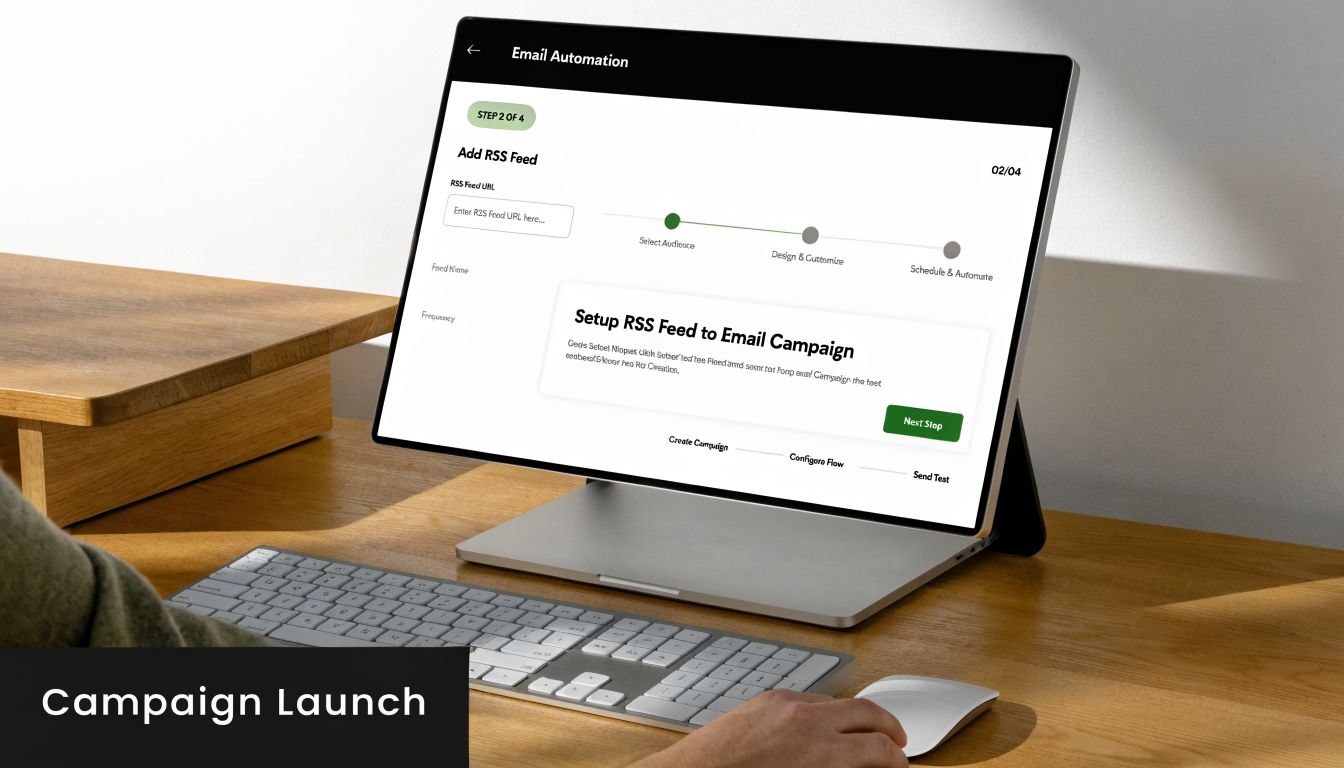
Open the feed URL in a browser, then validate it. The W3C Feed Validation Service surfaces broken XML, malformed dates, missing item elements, and encoding problems before they become skipped sends.
Then read the feed like an operator. Pull up the last several items and confirm you have reliable titles, links, publish dates, summaries, and image fields. If descriptions carry raw HTML pasted out of the CMS, if images appear on only some posts, or if dates are inconsistent, the automation will reproduce every one of those problems at scale and on a schedule.
Four checks before launch: confirm the exact feed URL you'll use rather than assuming /feed works, validate the XML, review recent items for stable title length and excerpt quality, and clean the source content where it's messy. The automation documentation shows how recurring sends and triggers fit together once the feed is trustworthy.
Set the cadence deliberately
The right schedule depends on what the feed represents. A back-in-stock feed is not editorial content, and a changelog is not a newsletter.
Two models cover nearly everything. Immediate sends suit high-intent events: product launches, urgent service notices, tightly segmented update streams. Digest sends suit blog content, release roundups, and anything multi-item.
Pacing is the part teams get wrong. If your publishing comes in bursts, a weekly digest protects engagement better than one email per post; a store that ships twelve product updates in two days does not need twelve emails. Match send frequency to subscriber value, not to content availability.
Four settings matter more than the platform UI suggests. Set a minimum item threshold so the send only fires when the digest is worth opening. Add a send window so mail arrives at a predictable time, and check send time data for your industry if you don't have your own yet. Cap digest length before the template turns into a scroll-heavy archive. Use feed filters to exclude thin content, duplicates, and anything tagged for internal audiences.
Review the first few sends by hand, in an actual inbox rather than the platform's preview pane. That's where duplicate pulls, broken images, bad excerpts, and missing preheaders show up.
Field mapping and fallback logic
Teams map roughly the same four things: item title, description or excerpt, destination link, and an image or media field. Tag names vary by platform; field discipline is what actually determines whether the campaign holds up.
If the feed sometimes carries a full post and sometimes a two-line excerpt, your layout breaks visually. If URLs arrive with the wrong tracking parameters, channel reporting turns to mush. If images are missing on a third of items, the digest starts looking untrustworthy, and subscribers read that as a signal about the content itself.
So set a default for every dynamic field you control. No image, hide the image block. Empty excerpt, fall back to a trimmed description or a title-only row. Title over a certain length, truncate before it wraps badly on a phone. Full HTML in the feed, strip unsupported elements before they reach the builder.
Experienced teams assume the feed will fail in small ways and build for it in advance. Agencies especially; one reusable QA pattern across client accounts saves hours a week of manual repair.
Design for scanning
An automated send can still be a bad email. If the layout is crowded and every article competes for attention, subscribers won't click no matter how elegant the automation underneath is.
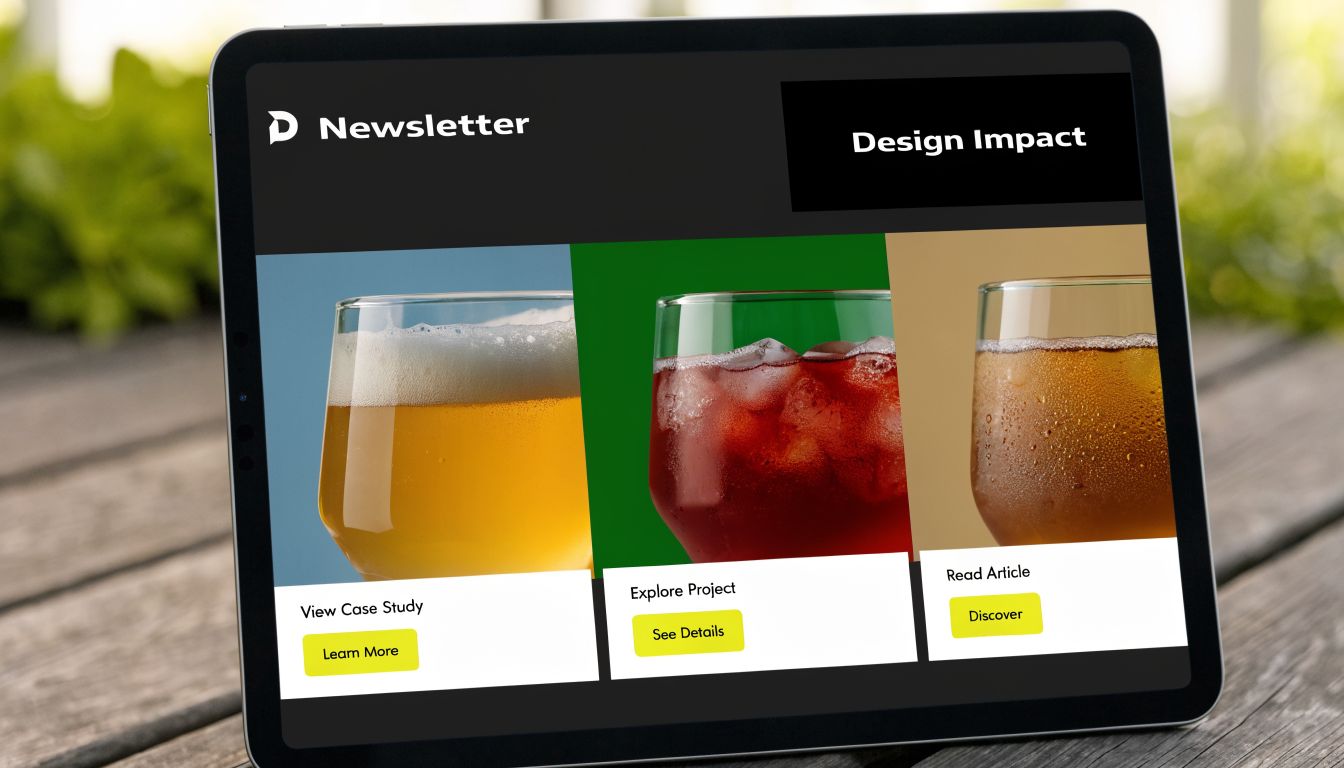
RSS emails perform best as digests. People skim the subject line, preheader, headlines, images, and buttons, then decide in seconds whether anything deserves a click. Give the newest or most important item the most visual weight, keep summaries short enough to tease rather than replace the content, hold each block to one job, and respect mobile spacing.
The best RSS email often feels incomplete on purpose. Its job is to create curiosity and a click.
Three failure patterns account for most weak templates:
| Template issue | What it does to performance | Better approach |
|---|---|---|
| Too much text | Buries the click opportunity | Trim to a short excerpt |
| Inconsistent imagery | Makes the digest feel assembled, not designed | Use one image ratio, or skip images when feed quality is uneven |
| Multiple competing buttons | Splits attention | One primary CTA per item |
Subject lines deserve their own decision. For a single-post alert, pulling the item title into the subject works because the email has one job. For a digest, a branded, consistent subject holds up better; it sets expectations and avoids the overlong strings that feed content produces. The newsletter subject line collection and the newsletter swipe file are useful for finding a format you can repeat weekly without it going stale.
Segment by feed intent
The bigger gain comes from splitting feeds by intent and audience, then mapping each feed to its own automation.
A store might run separate sends for new arrivals, back-in-stock items, and category education. A SaaS company should rarely push release notes, help content, and company news to one segment; admins care about permissions and integrations, while end users respond to workflow improvements and short how-tos. Splitting the changelog by product area turns a generic update email into a retention touchpoint.
Agencies carry the hard version of this. One client wants heavily branded product feeds, another wants plain-text thought leadership, a third needs legal review before every send. The useful rule there is to standardize the system behind the email rather than the email itself: reusable modules, per-client sender domains, and a feed that builds a draft for review when a client can't auto-send.
Better matching lifts clicks because the email matches what the subscriber signed up for. It also reduces list fatigue, which protects inbox placement over time.
Measure downstream behavior
Opens and clicks are diagnostic. RSS sends should be judged on what happens after the click, and the right KPI depends on the business.
Ecommerce teams watch product views, add-to-cart rate, and revenue per email, plus whether back-in-stock sends actually beat standard new-arrival digests. SaaS teams watch doc visits, feature adoption, and whether release-note readers return to the product. Agencies compare production time saved against campaign performance, because automation efficiency that costs results isn't efficiency.
A workable stack: feed-to-send rate (how often published items produce a send), click rate by content category, landing page engagement from UTM-tagged traffic, conversion rate by automation type, and unsubscribe rate split by frequency tier.
That last split earns its keep. When complaints climb after a frequency increase, the problem is almost never creative; it's cadence or audience mismatch. Watch spam complaint rate alongside it, since repeated thin-content sends are one of the faster ways to lose inbox placement. The email deliverability guide covers the rest of that measurement stack.
Automation also needs supervision. Review live sends weekly: is the feed pulling the right items, does mobile rendering still hold, is one item collecting every click while the rest of the digest gets ignored? If that last pattern repeats, shorten the digest or change the sort order so the highest-intent item leads.
Common failures and fixes
Most RSS-to-email problems start in the feed or the publishing workflow. The email platform exposes them; it rarely causes them.
| Symptom | Likely cause | Fix |
|---|---|---|
| Emails send with missing images | The feed has no consistent image field | Inspect the raw feed, confirm which field is populated, map the template to that field. If coverage is patchy, use a text-first layout |
| New posts don't trigger sends | Feed dates, item IDs, or publish status are inconsistent | Validate the feed, confirm each item has a proper publication date, and test with a newly published item rather than an old one |
| Formatting looks broken | Descriptions contain messy HTML pasted from the CMS | Strip unsupported HTML, use a clean excerpt field, or switch to plain-text summaries |
| Duplicate items in a digest | The platform defines "new" differently than you assumed | Check item limits and schedule settings, and confirm whether edits to old posts count as fresh content |
| Odd characters in headlines | Encoding mismatch between CMS and feed output | Normalize encoding at the source, republish, retest |
| One client template overwrites another | Shared assets and weak naming conventions | Separate templates by client, lock asset folders, assign ownership for edits |
A few fixes are less obvious. If ecommerce emails are landing after the product sold out, shorten the send delay or exclude low-inventory items at the feed level. If SaaS update emails get clicks but no product usage, look at the destination; sending users to a long changelog page instead of the exact help doc or in-app entry point adds friction that kills adoption. And if an agency keeps hitting approval delays, the automation model itself is probably wrong for that account.
Teams that get durable results treat RSS-to-email as a system they maintain. They clean the source data, match feeds to audience intent, keep the template controlled, and debug at the feed level first.
If you want a simpler way to build automated email workflows without turning setup into a project, Mailneo is built for teams that need practical automation and less manual campaign work.
Explore: Email Automation
Related Articles
Email Marketing Automation: From Basics to Advanced
Email marketing automation sends targeted messages triggered by subscriber actions or time rules, without manual sending. This guide walks through triggers, workflows, benchmarks, and advanced tactics (with real Mailneo data) so you can build sequences that drive revenue and retention.
How to Create a Drip Campaign That Converts
A drip campaign is a sequence of pre-written emails sent on a schedule or in response to subscriber behavior, designed to move a lead toward a single conversion goal. Done well, a drip outperforms one-off broadcasts on revenue per recipient by a wide margin. This guide shows how to build one.
Triggered Email Marketing Examples: 12 Campaigns to Build
Triggered email marketing sends a message when a subscriber does something specific, such as signing up, abandoning a cart, missing a renewal, or going inactive. Use this guide to pick the right trigger, write the right message, and avoid the overlap that makes automations feel noisy.
Newsletter growth: how to get your first 1,000 subscribers
Growing an email list to 1,000 subscribers takes a small set of on-site forms that convert, two or three off-site channels you actually enjoy posting to, and an onboarding sequence that keeps new readers around. This guide covers the realistic timelines, the channel mix that works, the tactics that waste your time, and what to avoid.
Ready to supercharge your email marketing?
Start sending smarter emails with AI-powered campaigns. No credit card required.
Get Started Free