Email Marketing Metrics: The 2026 Guide
Six numbers run an email program: open rate, click-through rate, click-to-open rate, bounce rate, unsubscribes and complaints, and conversion with revenue per email behind it. Here is what each one diagnoses, in the order they break.

Six numbers run an email program: open rate, click-through rate, click-to-open rate, bounce rate, unsubscribes and complaints, and conversion (with revenue per email sitting behind it). Read them in that order, because each one only means anything if the one before it is healthy. Everything else on your ESP dashboard is context.
The failure mode I see most often has nothing to do with a shortage of data. It's a marketing team staring at forty available metrics with no rule about which one should change a decision, so they check opens, feel something, and send again next Tuesday.
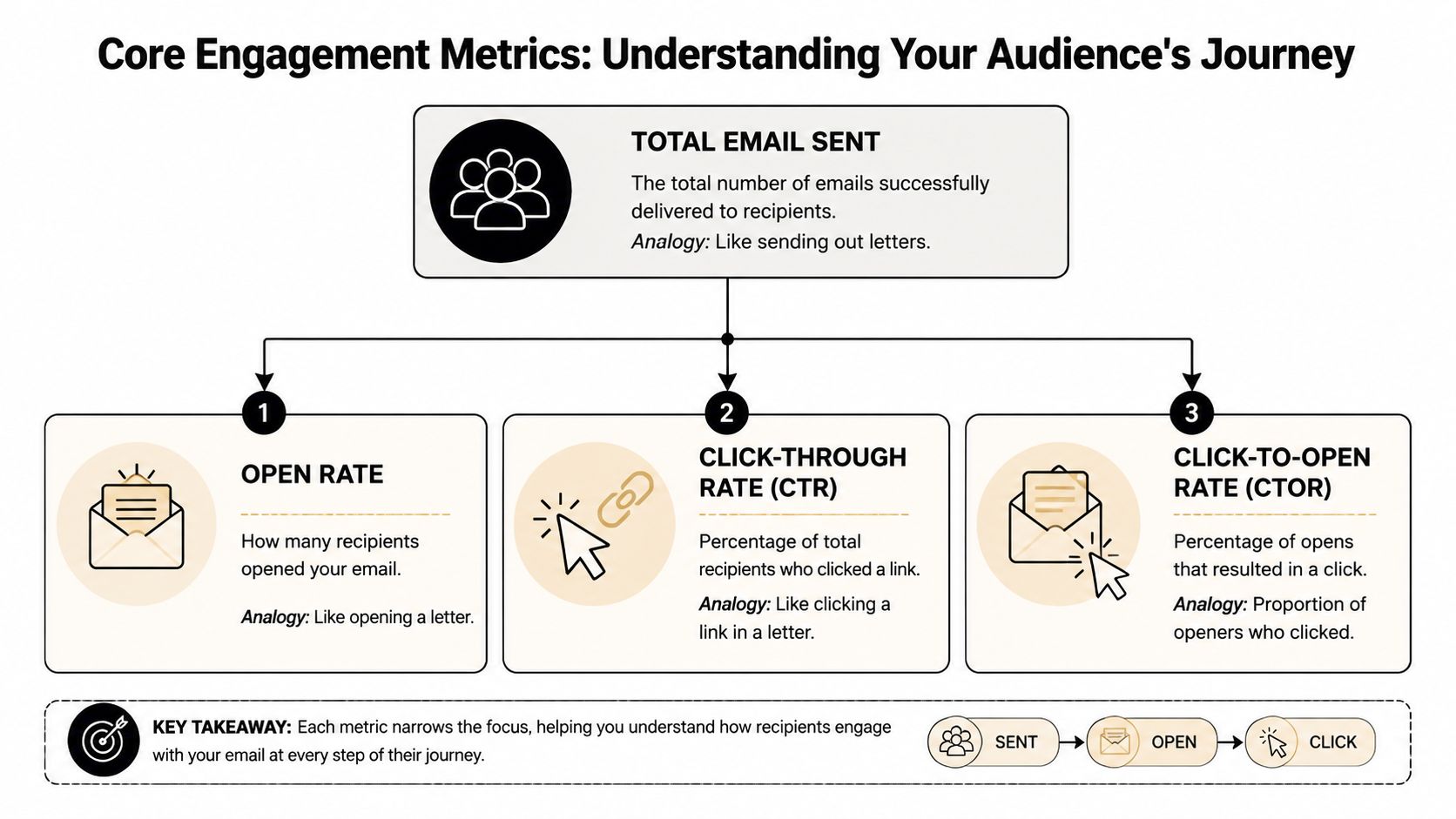
Open rate is a screening metric, nothing more
Open rate is unique opens divided by delivered emails, times 100. It's the envelope test: your message arrived, and the recipient decided whether it looked worth ten seconds. Subject line, sender name, preheader, and inbox placement all feed that decision.
Two things about it that people resist hearing.
It's noisy. Privacy features in Apple Mail and elsewhere pre-fetch images, which inflates the number in ways that vary by audience; if opens jump and clicks stay flat, check your tracking before you rewrite a single subject line.
And it isn't a win condition. I've watched an e-commerce team celebrate a high-open discount blast that sold almost nothing, and a SaaS team apologize for a middling-open education series that quietly drove their best week of trial activations. The first team optimized for curiosity. The second optimized for money and didn't realize it.
The other common error is comparing unlike things. A flash sale, a webinar invite, and a shipping notification do different jobs and should never share a benchmark. If you want external reference points by industry, use our benchmark data and compare within a category rather than against an "all industries" average, which is an average of things that have nothing to do with each other.
CTR and CTOR answer different questions
Click-through rate is unique clicks over delivered emails. Click-to-open rate is unique clicks over unique opens. They sound like the same metric wearing different hats; they aren't.
| Metric | What it tells you | Best use |
|---|---|---|
| Open rate | Whether the inbox presentation worked | Subject line and sender trust |
| CTR | Whether the campaign moved the full delivered audience | Overall campaign engagement |
| CTOR | Whether the email persuaded the people who opened | Message relevance and CTA strength |
CTR is the broader number and the one leadership recognizes. CTOR is the cleaner diagnostic, because it holds the inbox variables constant and looks only at what happened after someone opened. Healthy opens with weak CTOR means the subject line got you the meeting and the email lost the pitch.
That pattern almost always traces to one of four things: a vague offer, a CTA asking for more commitment than the reader is ready for, a layout that falls apart on a phone, or a subject line whose promise the body copy can't cash.
Four combinations worth memorizing, because they route your effort correctly:
- Low opens and low CTR. Start upstream with targeting, sender identity, and inbox placement; work through common deliverability issues before you touch the creative.
- Decent opens, weak CTOR. The email itself is the problem. Tighten the offer, cut to one CTA, strip the clutter.
- Modest opens, strong CTOR. The message works for whoever sees it. Segment tighter, or resend to non-openers with a different subject line.
- Strong clicks, weak conversions. Leave the email alone and go look at the landing page.
For most SMBs, those three engagement metrics catch the majority of campaign problems inside a week. Did people notice it, did it create interest, did the interest turn into something.
List health is the metric nobody schedules
A campaign can look fine on the surface while the list underneath quietly decays, which is why audience health needs its own review slot rather than a glance at the end of a campaign report.
Start with bounce rate, split into two buckets. Hard bounces are permanent failures, usually dead or invalid addresses, and they're the real signal; a rising hard bounce rate means something broke upstream in acquisition (a form without validation, an old list somebody imported, a sales rep typing addresses from business cards). Soft bounces are temporary and mostly noise unless they cluster at one provider, in which case they aren't noise at all.
Then the exit metrics: unsubscribe rate, spam complaint rate, and the slow buildup of contacts who haven't opened anything in six months.
A low unsubscribe rate is not automatically good news. Sometimes it means you email so rarely that people forget you exist instead of bothering to leave, and then your next campaign lands on a cold relationship and gets treated accordingly. Unsubscribes are feedback with a timestamp. If a segment leaves after every product update, the content is mismatched. If they leave after promotional pushes, the problem is cadence or what you promised at signup.
Complaints are different; treat those as urgent. They damage sender reputation in a way unsubscribes never do.
One more habit worth building: compare your list growth rate against the growth of your engaged list. A list that grows with poor-fit contacts manufactures confidence. The audience gets bigger while the responsive audience shrinks, and the averages hide it for months.
Conversion, revenue per email, and ROI
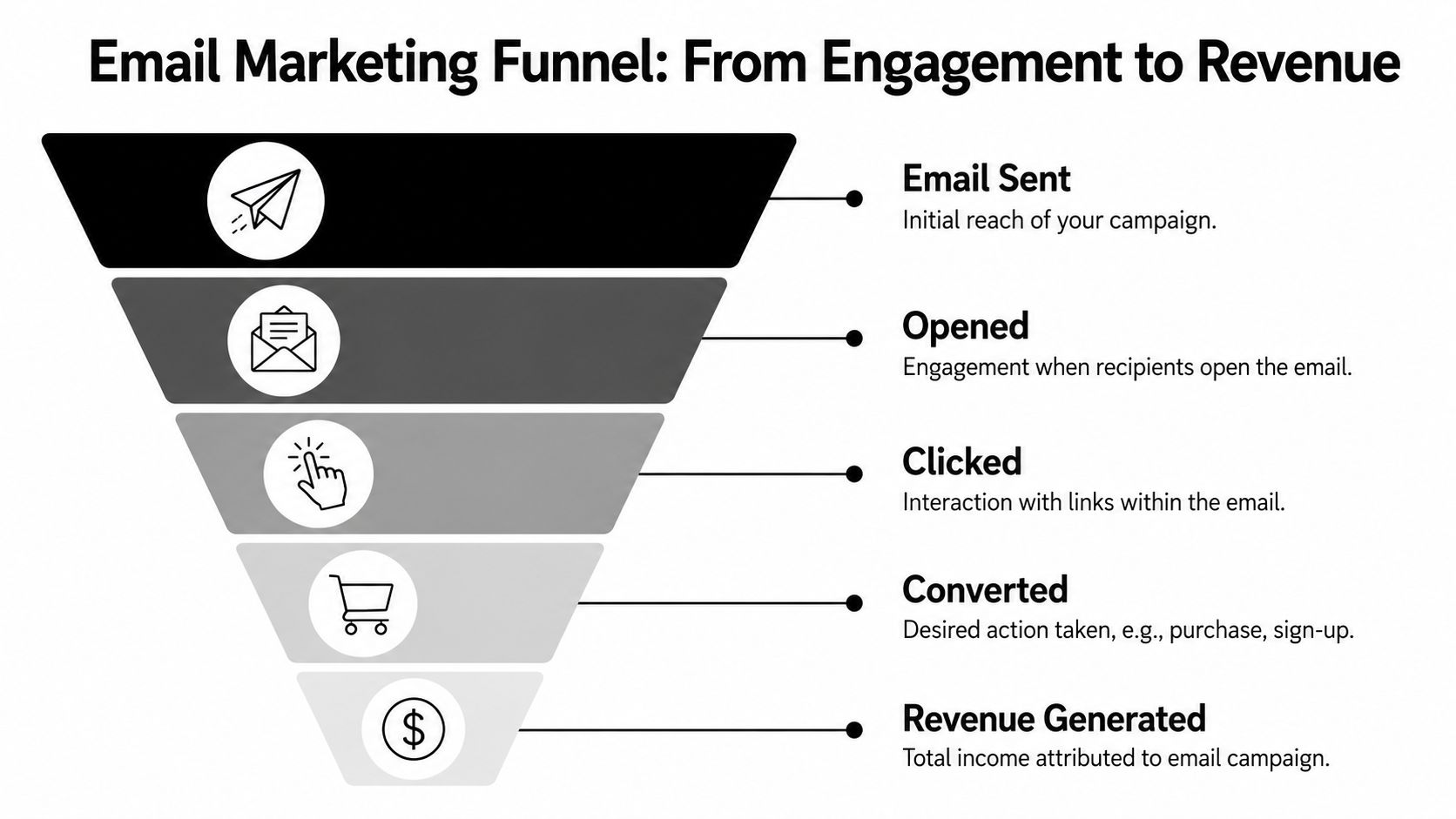
Conversion rate is conversions over delivered emails. What counts as a conversion depends on your model: a purchase, a booked demo, a trial activation, a strategy call. Pick one primary action per email, because an email with three competing goals produces conversion data you can't interpret.
You don't need a sophisticated attribution stack to make this work. UTM parameters on every link, a distinct landing page where you can manage it, and consistent naming will get you 80% of the way there. Perfect attribution is a project. Consistent attribution is a Tuesday.
Revenue per email is attributed revenue divided by delivered emails, and it's the metric that settles arguments about list size. A blast to 50,000 people can generate more total revenue than a segmented send to 6,000 while being worth less per email delivered, and the segmented send is usually the one you should run more often (it costs less reputation, too). If your margins vary a lot by product, gross profit per email is the more honest version.
ROI is attributed revenue minus program cost, over program cost. Count platform fees, copy and design time, list cleaning, and any agency support. Imperfect accounting applied consistently beats perfect accounting applied once.
A caveat I'd hold onto: last-click logic will systematically undervalue the emails that don't close anything. Nurture sequences, onboarding education, and win-back flows change whether a later purchase happens without ever getting credit for it. Track direct conversions, and track the behavior around them too. The lifecycle flows that look worst on a last-click report are frequently the ones you'd least want to switch off.
What actually belongs on a dashboard
Most dashboards fail by trying to be complete. They become a spreadsheet museum that everyone opens once and nobody reads twice.
Split them. Leadership gets four rows: business outcome (conversions and attributed revenue), efficiency (revenue per email, ROI direction), audience health (deliverability status, unsubscribe trend, quality of list growth), and period-over-period movement by campaign type. One line of commentary each, answering what happened and what needs attention. An owner should be able to decide whether to invest more, fix something, or leave it alone, without decoding marketing vocabulary.
The team version is a diagnosis sheet: campaign-level opens, CTR, CTOR, and top-clicked links; segment performance for new subscribers, buyers, trial users, and the dormant pile; test notes; bounce categories and complaint patterns; and conversion by campaign and segment.
Rhythm matters more than the layout. Review engagement and the primary conversion path after each campaign, compare segments weekly, and do list health and revenue contribution monthly.
Business model does change the emphasis, though less than vendors imply. E-commerce should lead with revenue per email and cart abandonment recovery rather than opens. SaaS should wire email metrics to activation events, because an onboarding email that produces first value outranks an announcement with triple the clicks. Agencies need reply and booking counts alongside clicks, since a campaign can post an average CTR and still fill a calendar.
When a number drops, work backward
Resist the urge to redesign. Email performance is a chain, and one weak link makes everything downstream look broken.
Weak opens come from four places, and you should check them in this order: deliverability first (are the messages even reaching the inbox), then sender identity, then segmentation, then the subject line. Teams routinely burn a week rewriting body copy for emails nobody opened.
If opens are fine and clicks aren't, read the email as a reader would. Does it deliver what the subject line promised? Is there one obvious next step? Does it work on a phone, where most of your audience is? Is the offer actually good, because copy can't rescue an offer nobody wants.
If clicks are fine and conversions aren't, the email did its job. Look at landing page continuity (the page should feel like the email's next sentence), form friction, and whether that segment was ready to buy at all. Also check your tracking. A surprising share of "failed" campaigns worked fine and were measured badly.
Then change one meaningful thing per send, write down what you changed, and look at the pattern across several campaigns. Random tweaking produces random learning; you'll have a lot of data and no idea which decision caused what.
Mailneo helps small teams run email programs without a spreadsheet museum. If you want a simpler way to plan campaigns, track what matters, and act on it, explore Mailneo.
Explore: Email Marketing Strategy
Related Articles
Email marketing statistics 2026: 50+ key benchmarks
Email marketing statistics for 2026 show a channel that still outperforms paid social on ROI, still opens mostly on mobile, and still lives or dies by deliverability. Here are 50+ benchmarks across opens, clicks, revenue, automation, AI adoption, and inbox placement, each with a named source.
Email Marketing ROI: Statistics, Benchmarks & How to Improve
Email marketing ROI is the revenue a program returns for every dollar spent on it. Industry studies peg the average at $36 to $42 per $1 (Litmus, DMA). This pillar breaks down current benchmarks, the full calculation, channel comparisons, and specific levers that move the number up.
How to Improve Click Through Rates in 2026
To improve click-through rates in 2026, start with your email CTR baseline, compare it against industry benchmarks, simplify each campaign around one clear action, segment by behavior, and use structured A/B testing to keep improving.
Fix Email Deliverability Issues: Your 2026 Guide
Email deliverability issues are usually a stack of authentication, sender reputation, engagement, list quality, and sending-pattern problems. This guide gives teams a diagnostic workflow for finding the real cause before changing copy or platforms.
Ready to supercharge your email marketing?
Start sending smarter emails with AI-powered campaigns. No credit card required.
Get Started Free