Email Attachment Size Limit: A Practical Guide for 2026
Email attachment limits apply to the full message, not just the file on your computer. This guide explains provider caps, Base64 overhead, deliverability risks, and better ways to send large files without breaking campaigns.

You attach a product catalog, a proposal deck, or a PDF lead magnet, hit send, and wait. Then the bounce arrives. Sometimes immediately; sometimes hours later, after you'd already assumed the email landed.
That failure usually isn't about the file being too big in the way people assume. Email systems judge the whole package rather than the file sitting on your laptop, which creates a persistent mismatch between the number a provider advertises and the size you can actually send.
If you handle campaigns, client approvals, sales collateral, invoices, or newsletter assets, understanding this saves more than time. It protects deliverability, keeps mobile experiences cleaner, and reduces how much sensitive content your team scatters across inboxes.
The cap covers the whole message
Plenty of people treat the email attachment size limit as a hard file cap. They see 25 MB in Gmail and assume a 25 MB PDF will go through. It won't.
Major services cap total message size. Microsoft documents a 20 MB limit for internet email accounts and a 10 MB default for Exchange business accounts, applied to the combined size of the attachment and the message body, in Outlook's attachment guidance. The familiar 25 MB figure at consumer services works the same way.
So your message includes more than the attachment itself. It also includes the message body, whether plain text or HTML; your signature, especially if it carries a logo or banner; inline images, tracking markup, and formatting; and the wrapper email systems add during transport.
Practical rule: the number your provider shows is a ceiling for the full package, not a safe target for the file you upload.
For marketers this bites at the worst moments. Product launches, media kits, sales decks, and event PDFs are exactly the files that push a message over the line, and thinking in terms of desktop file size means you're measuring with the wrong yardstick.
Why the published limit isn't the usable limit
Email wasn't built as a file transfer system. It was built to move messages across a network of servers that all have to accept, process, store, scan, and route mail reliably. Attachments were bolted onto that world.
Here's the part that catches people out. Attachments have to be converted into a text-safe format before mail systems can move them, and Base64 encoding represents every three bytes as four characters. That's roughly 33% growth before line breaks and headers, so a 20 MB file arrives at the server closer to 27 MB. The MIME structure that carries it adds a little more.
The analogy is shipping a fragile product. Your file is the item; Base64 is the bubble wrap, box, tape, and label. The contents haven't changed, but the package is bigger.
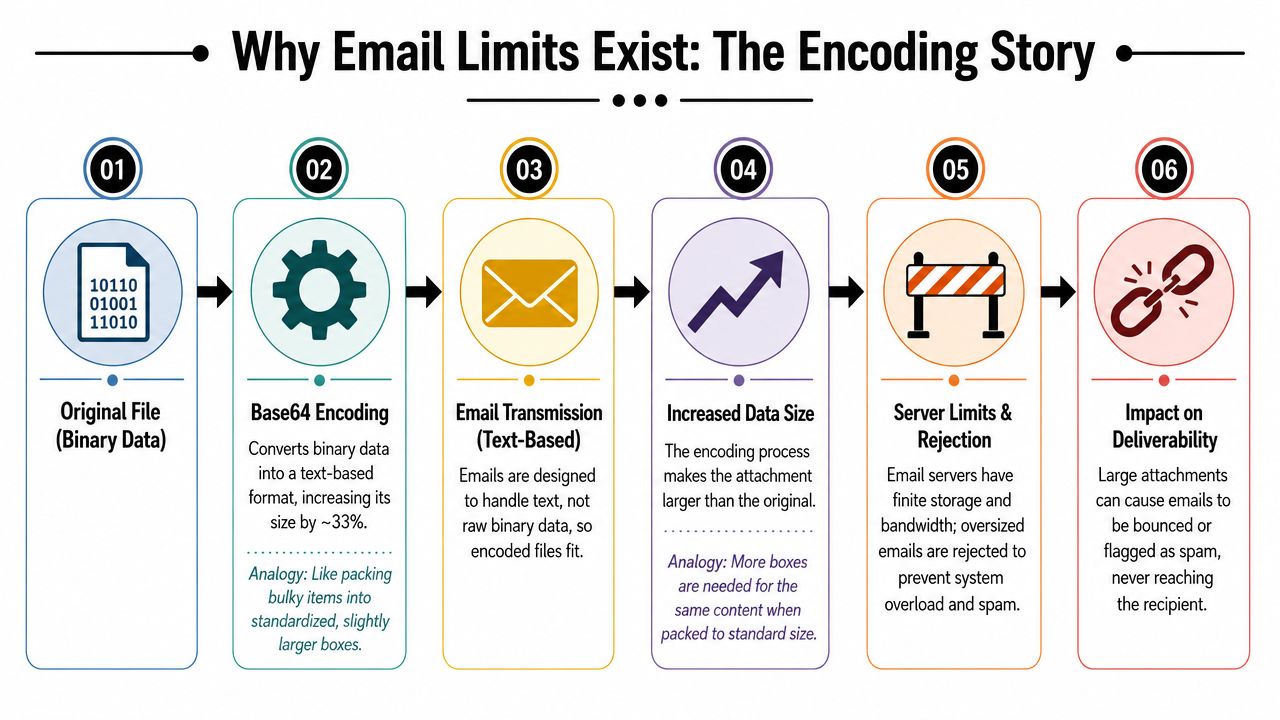
That's why bounces happen below the advertised cap. The server doesn't care what the raw file looked like on your hard drive; it measures the packed version.
The caps themselves aren't arbitrary either. Large messages consume bandwidth, storage, and processing time. Every attachment needs scanning and filtering. Bigger messages slow down receiving systems and end-user mailboxes. And one provider's generous limit doesn't obligate any other provider to accept the same payload.
That last point is the one that makes attachment limits feel inconsistent. They aren't only about your sender; they're about every system that touches the message between send and delivery.
Plan for the lowest limit in the chain
You attach a sales deck that looks small enough, hit send, and it fails for part of your list. Provider limits are not one universal rule. They're a set of mailbox policies, transport rules, and compatibility constraints that shift depending on sender, recipient, and everything in between.
| Provider | Stated limit | Practical planning take |
|---|---|---|
| Gmail | 25 MB | Leave headroom. Full message size matters, not the file on your device. |
| Outlook internet accounts | 20 MB | Treat the cap as a ceiling, not a target. |
| Exchange business accounts | 10 MB default | Often the tighter constraint in B2B communication. |
| Yahoo | Varies by environment | Use caution for large files, especially in mixed-recipient sends. |
| Apple Mail / iCloud Mail | Varies by environment | Test before relying on attachments for important business messages. |
A marketer can send from a platform that accepts large files and still fail at delivery because the recipient's mailbox policy is stricter. This shows up constantly in B2B campaigns, partner communication, and client onboarding, where corporate mail servers are far less forgiving than consumer inboxes.
So keep true attachments small, avoid building campaigns around your own provider's maximum, expect tighter controls in corporate environments, and use hosted links for larger assets and anything recipients may need to forward internally.
What large attachments do to your metrics
Oversized attachments don't just risk a rejection. They change how filters, inboxes, and recipients experience the message.
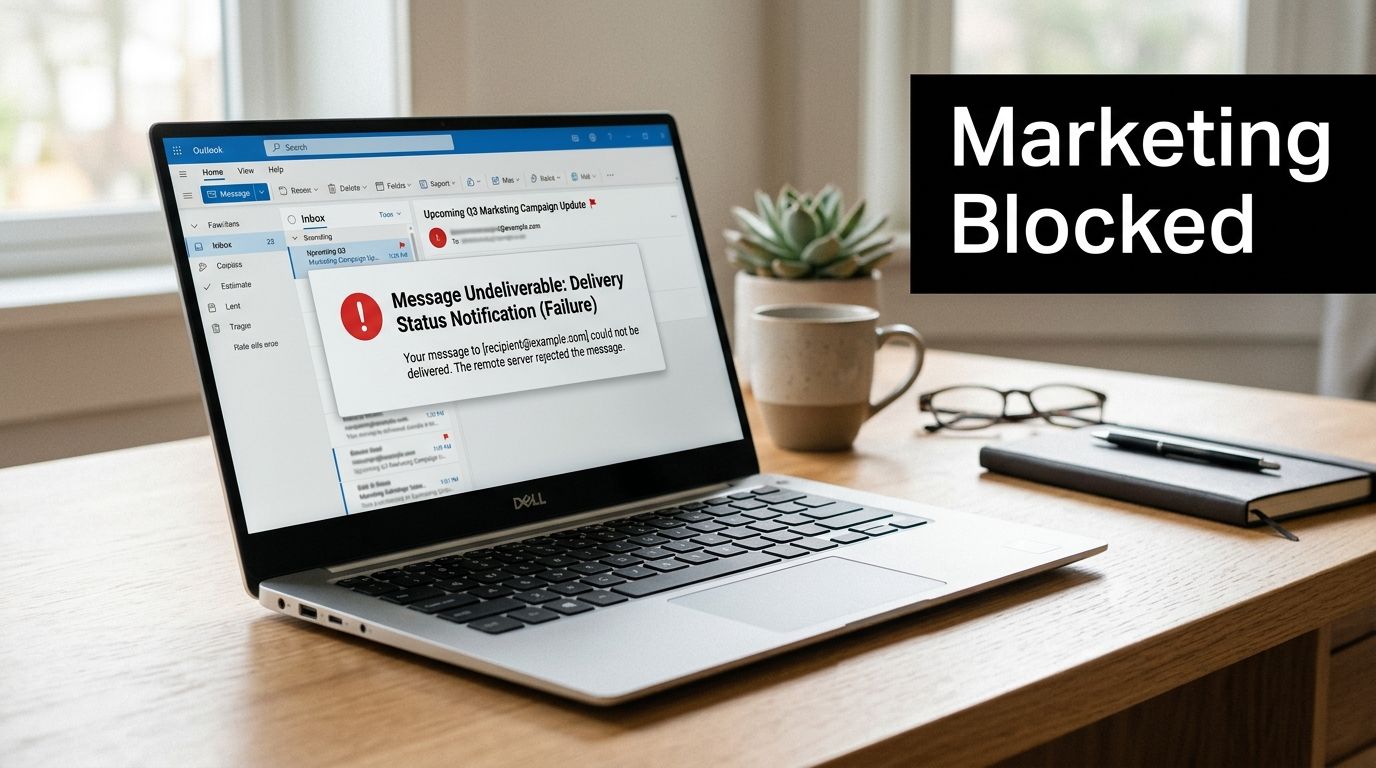
An attachment that's too large produces an obvious failure. A message that technically sends can still create friction; it loads slowly, it feels unexpected, and it frustrates anyone opening it on mobile data.
Attachment behavior also signals intent. Promotional email is normally link-based, so a campaign arriving with a bulky file attached looks unusual to filtering systems. Even when the message isn't blocked outright, that's a headwind you didn't need. If attachment-heavy sends are part of your program, watch bounce rate and delivery rate by recipient domain rather than in aggregate, since corporate domains will fail first and an all-domains average will hide it. The broader setup for inbox placement is in the email deliverability guide, and the filtering behavior itself in how to avoid the spam folder.
Four marketing problems follow from heavy attachments. Recipients trust the message less at open. The mobile experience gets worse. Reporting gets harder, because a hosted asset gives you download data that an attached file never will. And once a PDF is attached and forwarded you lose control of which version people circulate.
For marketing email, a hosted asset usually performs better than an attached file because it keeps the message lighter and easier to trust.
There's a compliance dimension that gets ignored far too often. Corporate policies that restrict attachments to 10 MB are usually written for security reasons, and the logic transfers directly to your own team. Every file copied into an inbox expands the number of places sensitive information lives: sent mail, received mail, forwarded threads, mailbox backups. Deleting or controlling old copies inside email archives is genuinely difficult, and one wrong recipient can expose far more data through an attachment than a short email ever could.
Sales, support, marketing, and operations each create this risk in different ways. Customer exports, order reports, signed PDFs, onboarding docs, internal spreadsheets. Link-based workflows shrink that footprint because the file lives in one controlled place instead of being cloned down every forwarding chain.
Four ways to send the file anyway
If an attachment is pushing the limit, don't keep retrying with a slightly smaller version. Change the delivery method.
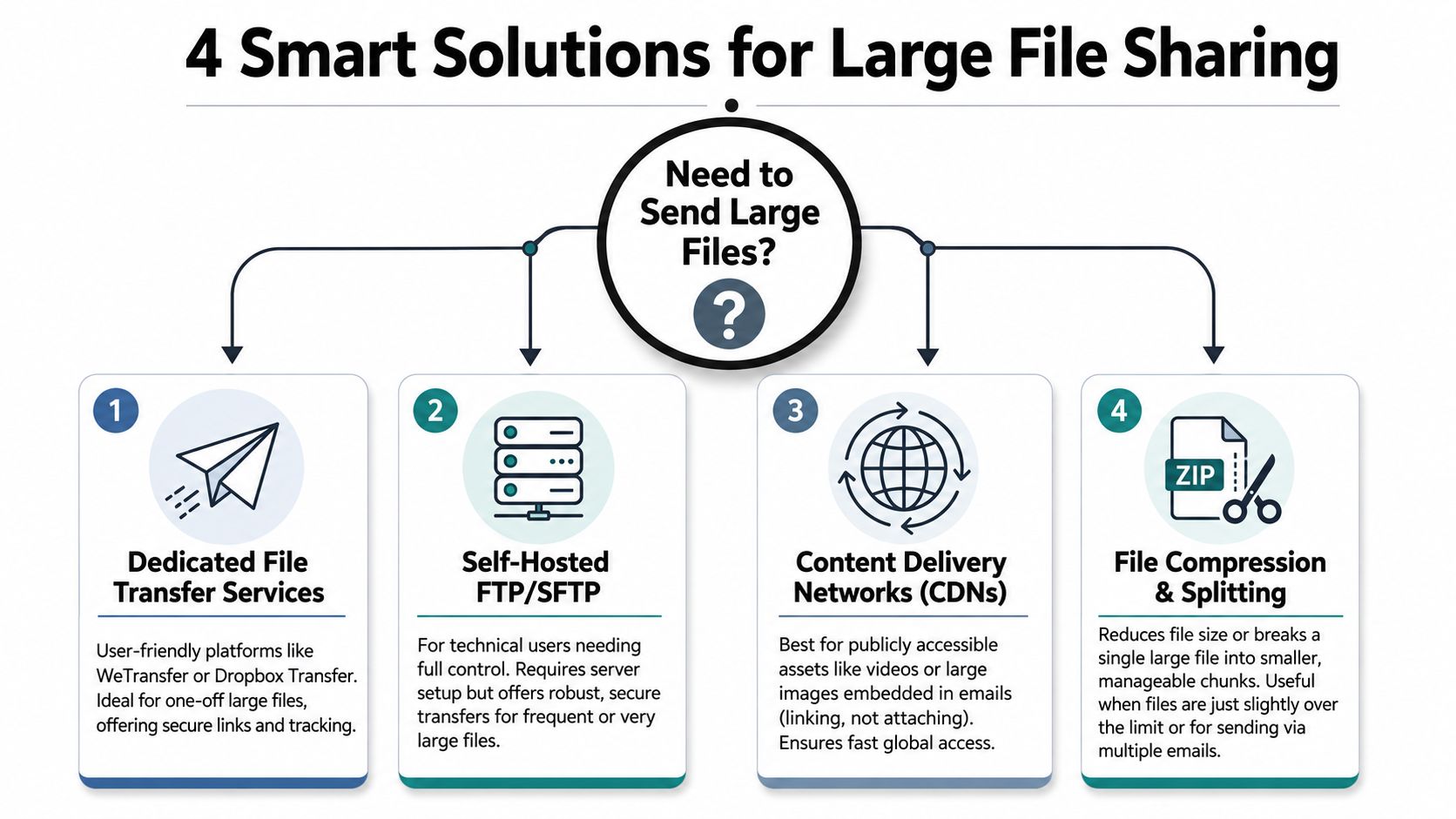
Cloud storage links handle evergreen assets. Brochures, whitepapers, media kits, onboarding guides, and lead magnets belong on Google Drive, Dropbox, or OneDrive. Host once, share the link, update the source when it changes. Marketing teams get one canonical version instead of a dozen copies drifting apart in different inboxes.
File transfer services handle one-off handoffs. Sending a large creative file to a client or partner is a short-term delivery problem, not a hosting problem, and tools built for that job do it more cleanly than email.
CDN-hosted assets handle anything that's really part of the campaign experience. If the "attachment" is images, downloadable resources, or media previews, host it and link to it. Hosted assets load more predictably than oversized inline files, which matters for newsletters, product launches, and e-commerce sends. When these external routes need to hand off cleanly to the rest of your stack, Mailneo's integration documentation covers the connections.
Compression and splitting handle the case where you're barely over the line. Re-export the PDF for screen use, compress the images, or split the material into pieces. It's the least elegant option and still the right one for proposals, invoices, and review documents. Compression helps most with documents and oversized PDFs; it does almost nothing for media that's already compressed.
A working policy for your team
My rule: keep the full message under 10 MB for broad compatibility, and under 5 MB for one-to-one business email that actually matters. Under 5 MB, attaching is fine for direct communication. Between 5 and 10 MB, stop and ask whether a link would serve the recipient better. Above 10 MB, send the link.
The best solution isn't the one that squeezes under the cap. It's the one that removes the cap from the workflow.
Teams handle this better when they stop treating each failure as a one-off annoyance and set a default: link first, attach second. If a file doesn't need to live inside an inbox, it shouldn't. That single change improves deliverability, kills version confusion, and gives you control over who accesses the asset.
Then tighten the habits around it. Compress and re-export before attaching. When an attachment is genuinely unavoidable, tell the recipient what it is and why, because an unexplained file is the one people don't open. Keep transactional files lean; invoices, receipts, and confirmations should be as small as they can be. And audit team behavior periodically, since the person quietly emailing 18 MB spreadsheets every Friday is rarely the person reading this article.
The bigger lesson is simple enough. The email attachment size limit is a workflow signal as much as a technical threshold. When your process depends on heavy attachments, email has become the wrong transport layer for the job.
Explore: Email Deliverability
Related Articles
Return-Path vs Reply-To: What Each Email Header Does
Return-Path and Reply-To solve different problems. Return-Path is the bounce address used by mail servers for delivery failures; Reply-To is the address a human reply should go to. Mixing them up breaks bounce handling, support routing, and deliverability reporting.
Parsing Email Headers from Scratch: What Every Received Line Actually Means
Email headers are a stack of metadata appended every time a message hops between servers. This is a developer-focused walkthrough of how to parse Received lines, what each token means, and how to reconstruct a message's full delivery path from raw text.
SPF, DKIM, and DMARC for Developers Who Just Want Their App's Email to Land in the Inbox
A practical, opinionated walkthrough of the three DNS records your app needs to send transactional or product email that doesn't land in spam. Written for developers who would rather ship than read RFCs.
Transactional vs Marketing Emails: Key Differences
Transactional vs marketing email comes down to purpose and consent; a transactional email completes a transaction the recipient already started (a receipt, a password reset), while a marketing email promotes something. They need different infrastructure, different consent, and different legal treatment under CAN-SPAM and GDPR.
Ready to supercharge your email marketing?
Start sending smarter emails with AI-powered campaigns. No credit card required.
Get Started Free