How to Create Email Templates: A Step-by-Step Guide
A reusable email template system helps teams send faster without breaking brand rules, accessibility, mobile rendering, or personalization. This guide walks through planning, modular design, email-safe HTML, dynamic content, testing, and maintenance.

You are probably dealing with some version of this already. A campaign needs to go out today, someone duplicates an old email, swaps in new copy, and hopes nothing breaks in Outlook or on mobile. Then the replies start. The button is off-center, a name field is blank, the footer is a year out of date. Next week the same cycle repeats.
That cycle is why learning how to create email templates matters, and why the goal is a template system rather than one nice-looking newsletter. A good system gives marketers speed, designers consistency, and developers fewer emergencies; it also makes future changes cheap, because updating a product line or a compliance line means editing a module instead of redesigning twelve emails.
Ad-hoc emails cost more than time
Ad-hoc emails feel fast because you can copy, edit, and send. In practice they create hidden work. Teams remake the same sections, introduce inconsistent spacing, and miss the details a stable template would have locked down at the start.
The cost lands in three places: production time, quality control, and campaign performance. If every email starts from a copied campaign, your team spends its creative energy relitigating layout decisions instead of improving the message and the segmentation behind it.
If your team sends the same type of email more than twice, it deserves a reusable template.
The biggest mistake is treating templates as a design shortcut. They are an operations tool. A strong system decides what can change, what stays consistent, and what nobody edits without approval; that governance is most of the value, and it is the part teams skip.
Plan the blueprint before you open a design tool
Most weak templates fail because the team picked a visual style before deciding what the email needed to accomplish. Map the system first.
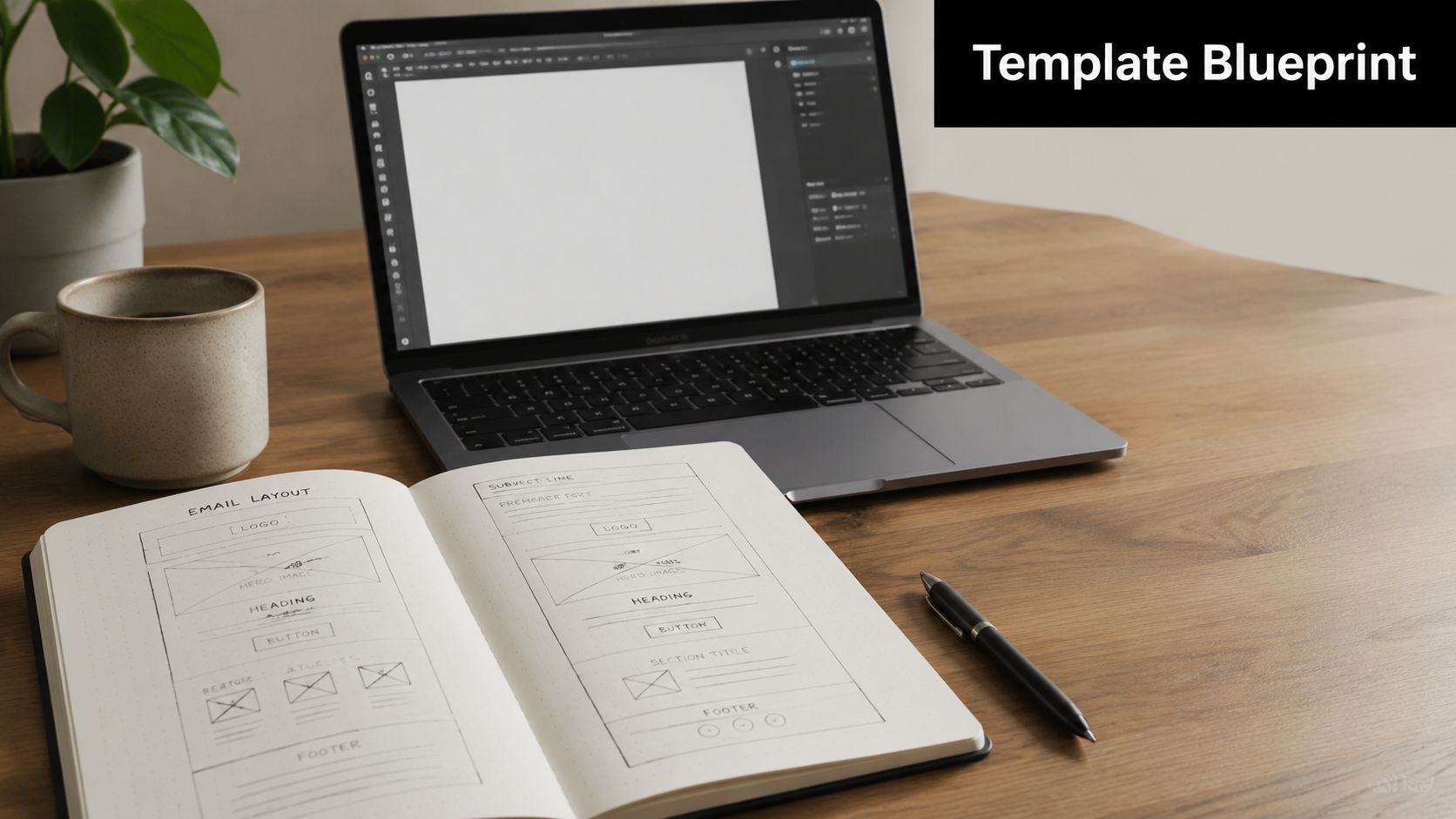
Start by listing the types of email you send now, then group them by structure rather than by campaign name. You will usually find a small number of repeatable patterns. Promotional emails cover sales, launches, seasonal offers, and product drops. Lifecycle emails cover the welcome series, onboarding, activation nudges, renewals, and win-backs. Content emails cover newsletters, roundups, and event updates. Transactional and operational emails cover receipts, confirmations, and account notices.
The grouping usually collapses further than expected: an e-commerce brand often needs one promo framework, one editorial framework, and one service framework, while a SaaS company needs a product update template, an onboarding template, and an account communication template. Before you build the lifecycle shells, the welcome swipe file is a useful reference for how those messages tend to be structured.
Then answer two questions per category: who is this for, and what single action should they take? The second question is what keeps templates from turning into landfill. A newsletter can carry several stories and still needs a primary path. A trial activation email should not ask a user to watch a webinar, read three posts, and book a demo with no hierarchy between them.
| Email type | Primary audience | Main action |
|---|---|---|
| Promotional campaign | Past buyers or active shoppers | Shop the offer |
| Welcome email | New subscribers or new users | Explore product value |
| Product update | Existing customers | Use the feature |
| Newsletter | Engaged readers | Read the lead story |
When a template tries to support five competing goals, it usually supports none of them well.
Finally, mark which parts are global and which are flexible. The logo area, spacing rules, button style, legal footer, and typography should be controlled. Headlines, supporting blocks, testimonials, and CTAs should be modular.
Design in modules, and design accessible from the first draft
A durable email is a set of reusable parts that can be rearranged without breaking the design language.
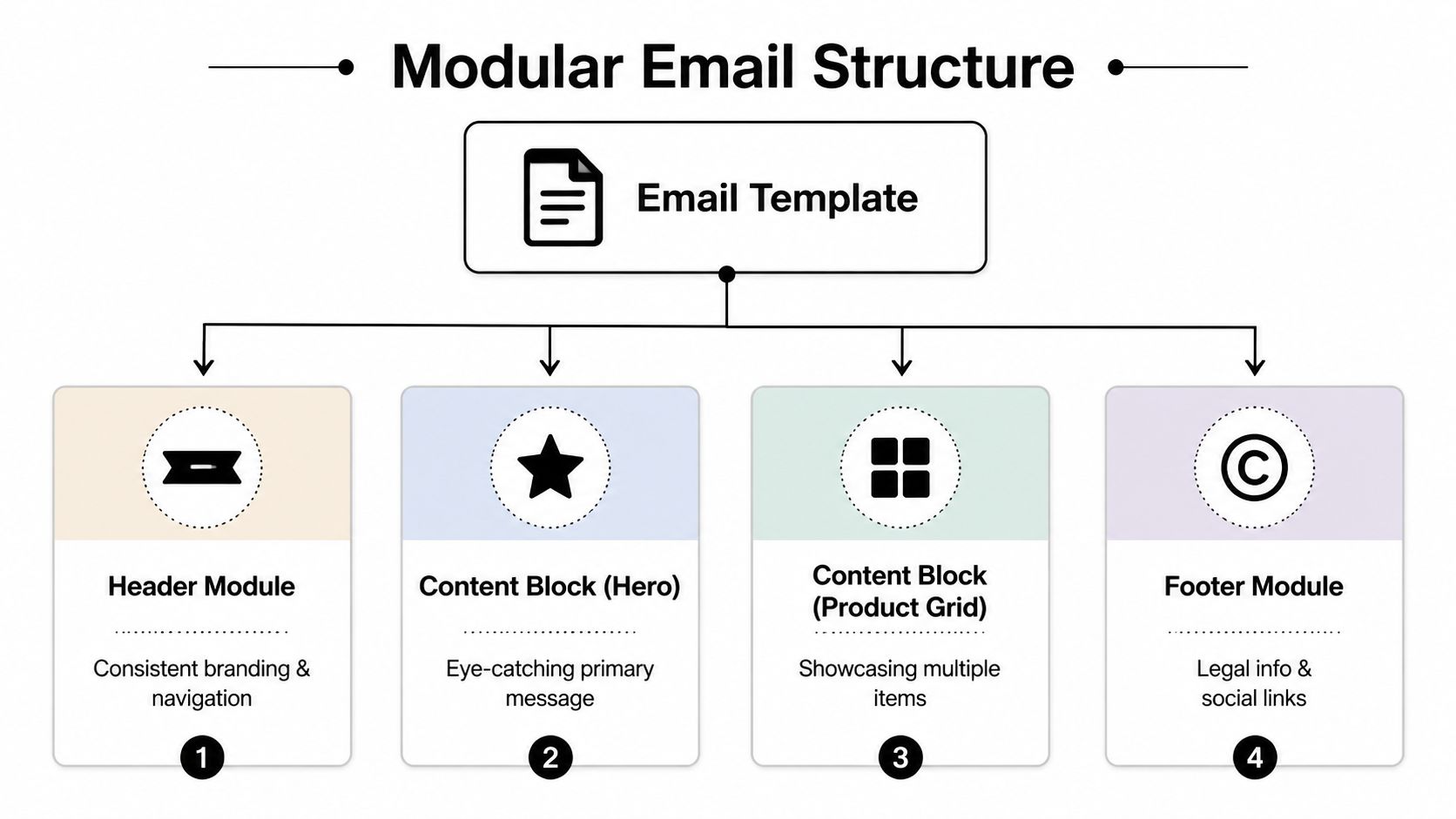
Think in modules the way a product team thinks in components. A preheader with short supporting text that complements the subject line. A header with the logo and minimal navigation, if navigation serves a purpose at all. A hero with one message, one image, one primary CTA. Body modules for product cards, feature highlights, article summaries, proof points, or event details. A support module for the secondary CTA, FAQ prompt, or help link. And a footer with legal details, subscription controls, and company information.
Each module should work alone and sit cleanly next to the others. That is what makes versioning manageable: a marketer swaps a hero and two content blocks without touching the footer, the spacing system, or the brand rules, so inconsistency stops creeping in by accident. For hierarchy, CTA placement, and content density worth studying rather than copying, keep a reference library of email templates that convert.
Accessibility belongs in the same conversation, and it has to shape the template before the first module is approved rather than get audited at the end. Body text stays legible on a small screen; contrast survives the jump from mockup to inbox, because light gray on white looks refined in Figma and disappears on a phone in daylight. Link text describes the destination, so "read the guide" beats "click here". Alt text is descriptive on product and instructional images and minimal on decorative ones. Hierarchy reads through headings, spacing, and button treatment rather than color alone.
Avoid putting the core offer inside a single graphic. If images are blocked or slow to load, an image-only email arrives as a blank rectangle, which is also why plain text versus HTML is worth a decision rather than a default. Responsive behavior follows the same logic: modules should stack cleanly, buttons should stay thumb-friendly, and content should still make sense in one column. If a product grid gets cramped on mobile, redesign the module instead of forcing desktop logic into a narrow viewport.
Build with email-safe HTML
Email development punishes assumptions learned from modern web design. Approach it like a landing page and you will spend the week fixing rendering surprises, because inbox rendering engines do not behave like browsers and Outlook in particular still penalizes the patterns web teams rely on. If your team needs the fundamentals first, our overview of HTML email basics and examples covers them, and the HTML email glossary entry has the short version.
What tends to fail: external stylesheets, flexbox and grid as the primary layout system, JavaScript, complex background-image techniques, and uncontrolled custom fonts. What works consistently: table-based structure, inline styling, simple predictable nesting, explicit width constraints, and content that degrades gracefully.
The safest email code is rarely the prettiest code. It is the code that survives Gmail, Outlook, Apple Mail, and mobile apps without surprises.
A layout pattern that survives Outlook
Start with a centered wrapper table, then place content modules inside it as separate rows. Keep widths controlled, padding explicit, and body copy readable.
<table role="presentation" width="100%">
  <tr>
    <td align="center">
      <table role="presentation" width="600">
        <tr>
          <td style="padding:24px;font-family:Arial,sans-serif;">
            <h1 style="margin:0 0 16px;">Headline</h1>
            <p style="margin:0 0 20px;">Body copy goes here.</p>
            <a href="https://example.com" style="background:#000;color:#fff;">
              Read more
            </a>
          </td>
        </tr>
      </table>
    </td>
  </tr>
</table>
For a two-column section, resist jumping to clever responsive code. Use nested tables that stack when they need to, which in most builders means two simple content blocks with conservatively controlled widths.
Watch your merge tags while you are here. A greeting like Hello {{FirstName}} reads well only when the field is populated, so set a fallback such as "there" or "customer" and the email still sounds like a person wrote it.
Dynamic content that earns its complexity
A static template is a container. A dynamic one adapts to recipient data, and personalization starts paying off at the point where it changes the message rather than the greeting.
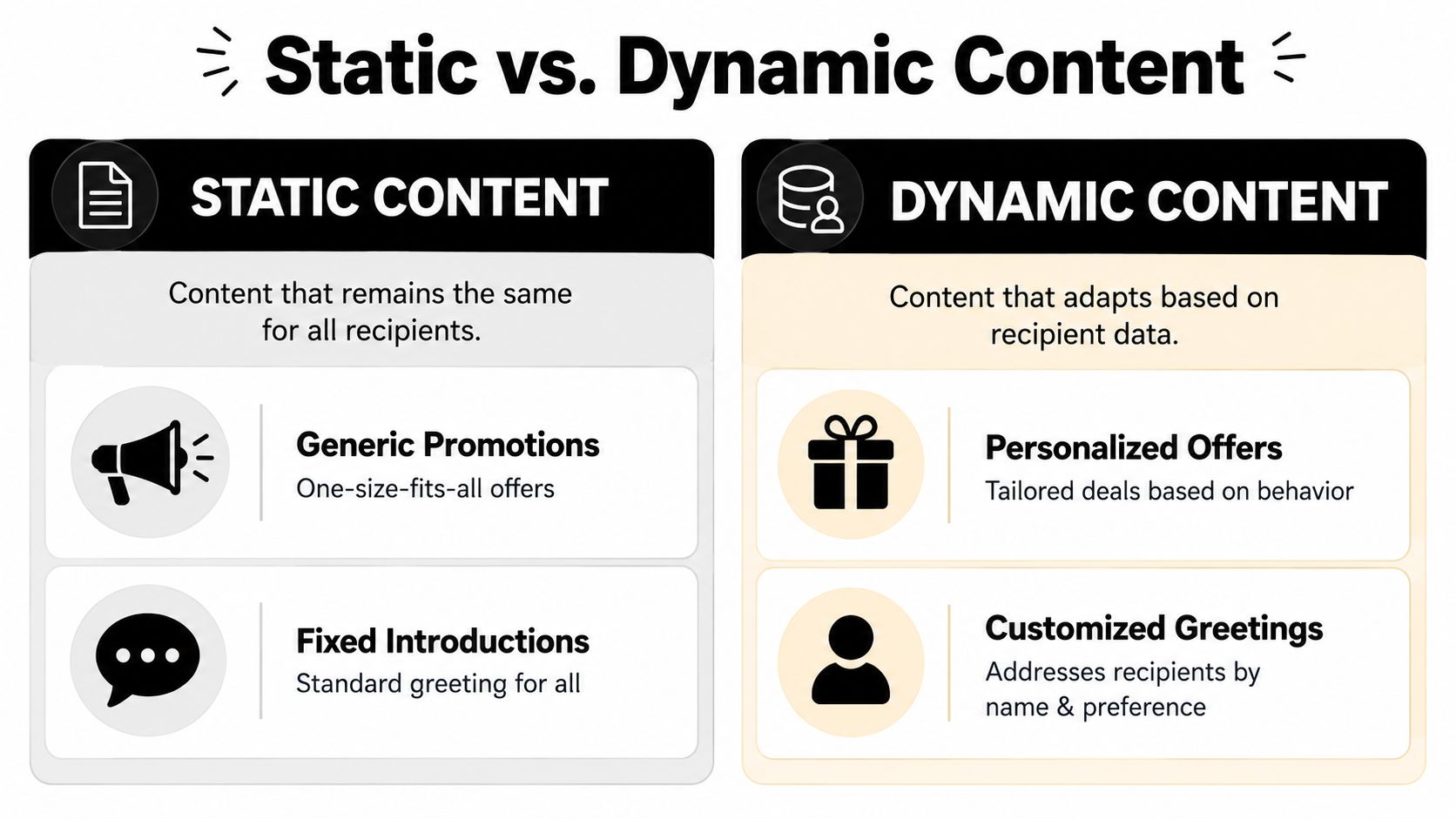
| Static version | Dynamic version |
|---|---|
| "Hi there, check out our new arrivals." | "Hi Sarah, your saved category has new arrivals." |
| "Explore our platform." | "Complete your setup and invite your team." |
For e-commerce, the fields that do real work are category interest, location, loyalty status, and recent purchase context. For SaaS, they are plan type, feature usage, account owner, and lifecycle stage.
Conditional content is where the system starts working for you. Rather than building a separate email per segment, you swap modules in and out. A SaaS product update keeps one header, typography, CTA style, and footer for everyone, while trial users see a "finish setup" block and active customers see an advanced workflow. An e-commerce promo shell keeps its frame and changes the center: recommendations tied to past orders for returning buyers, bestsellers for new subscribers, recently viewed items for cart browsers, early access for VIPs.
Good dynamic content changes the message because the recipient changed, not because the marketer wanted novelty.
There is a real trade-off. Every conditional branch multiplies QA. Branch anyway, but keep a content map showing which modules appear under which conditions, so whoever tests the email knows how many versions actually exist. The other trap is overpersonalization: when the underlying data is stale or incomplete, clear generic copy beats awkward personalized copy every time.
The pre-flight checklist
Email QA should feel less like proofreading and more like a pilot's pre-flight routine. The point is to catch the predictable failures before they reach the list, which is a narrower and more achievable goal than perfection.
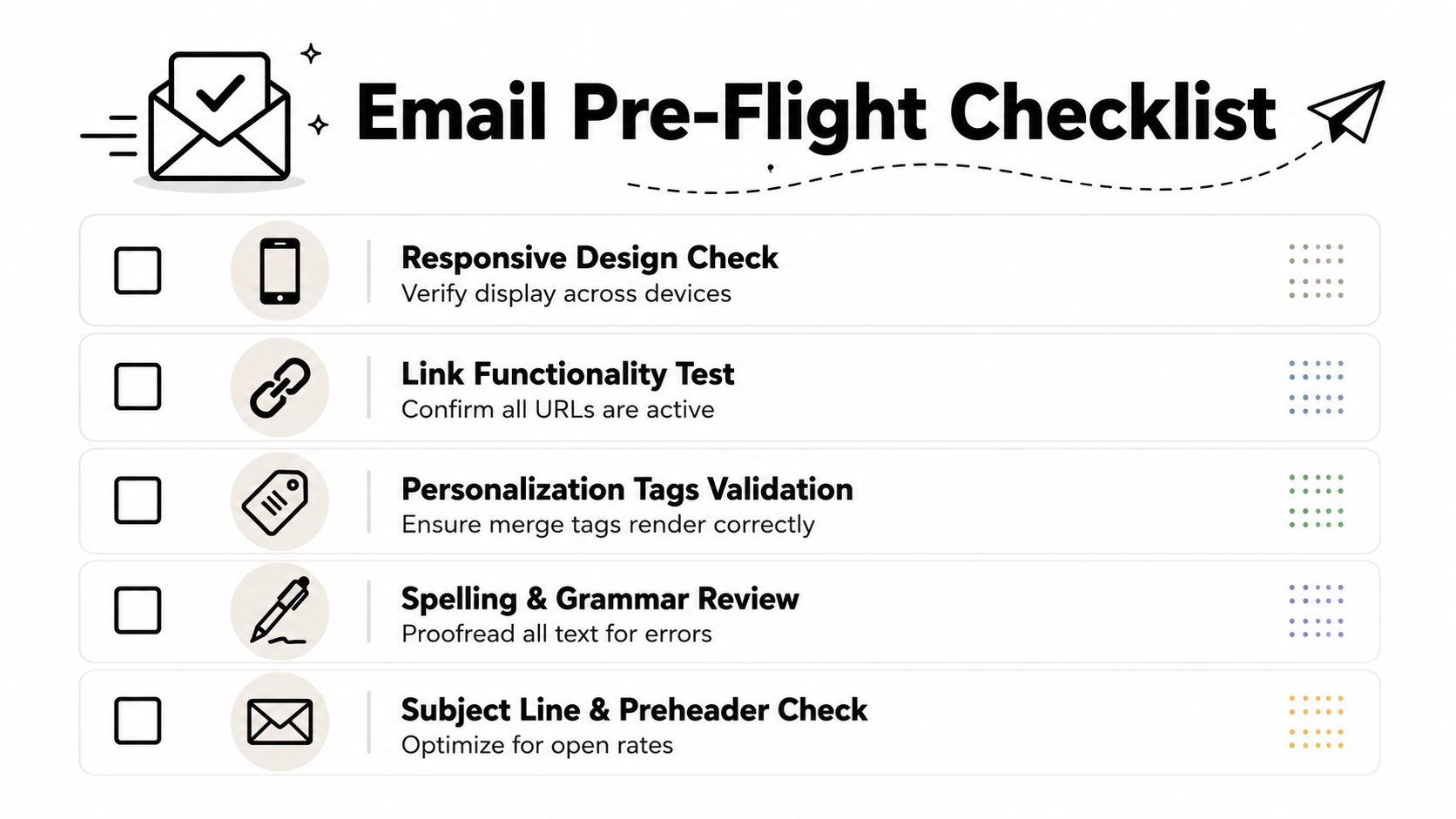
The inbox your team uses internally is not a test environment. Check Gmail, Outlook, and Apple Mail, then mobile and dark mode. Confirm the template stacks cleanly and buttons are easy to tap. Check spacing, alignment, and image scaling on desktop. Review whether logos, text, and buttons stay visible when dark mode inverts your colors, which is where most brand palettes quietly fall apart. And view the email with images off to confirm it still communicates.
Then check that it functions. Click every CTA, logo link, footer link, and social icon. Preview with multiple contact records, including records with missing data, since that is the case that produces "Hi ," in front of 40,000 people. Scan for spelling errors, awkward line breaks, and missing alt attributes. Confirm subscription controls, company information, and reply expectations in the footer. Running the finished build through a spam checker catches content and configuration problems while they are still free to fix.
One broken link can undo an otherwise strong campaign. QA is cheaper than apology emails.
Watch content balance too. An email that is mostly image and barely any text is harder to scan, harder to read with images blocked, and consistently weaker on click rate. Let the copy carry the message and let visuals support it.
Deploy and maintain the system
Once the template works, turn it into a managed asset. Save both the coded version and the builder version, and add short notes explaining what each block is for, what content belongs in it, and what stays locked.
Set governance early. Decide who can edit structure, who can edit copy only, and who approves changes to global elements like headers, buttons, legal copy, and subscription language. Without that, a template system drifts back into the ad-hoc mess it was built to replace, usually within two quarters.
Review on a schedule, because brands evolve, legal requirements change, and product teams add use cases. Your library should get better over time instead of turning into a folder of modules nobody trusts.
The next layer is AI-assisted assembly. AI can generate copy variations, suggest subject lines, and assemble modules faster, but it needs a dependable framework underneath it; a strong template system is what gives it clean rules to work inside. Mailneo helps teams create, organize, and scale reusable email workflows with that structure in place, so the same modules carry through campaigns, automations, and future personalization work.
Explore: Email Design & Content
Related Articles
How to Create Email Templates That Convert
Email templates that convert share five traits: a single clear CTA, a hero section that answers 'why should I read this', one-column mobile-first layouts, preheader text that extends the subject line, and a scannable F-pattern body that respects how people actually read inboxes.
HTML Email Basics: Examples, Structure, and Testing
HTML email is an email built with markup, inline styles, and layout patterns that email clients can render. It is not the same as a web page. Tables, fallbacks, accessibility, image handling, and client testing matter more than modern CSS tricks.
Email Plain Text vs HTML: The 2026 Decision Guide
Plain text and HTML email each work in different contexts. This guide compares deliverability, engagement, tracking, accessibility, branding, and AI spam-filter behavior so teams can choose the right format for each campaign.
How to Insert a GIF Into an Email
Insert a GIF the way you insert any image: host it, drop it into an image block, write real alt text, and design the first frame as a standalone fallback. Covers Gmail, Outlook, file size, HTML, and what to test before you send.
Ready to supercharge your email marketing?
Start sending smarter emails with AI-powered campaigns. No credit card required.
Get Started Free