Our 2026 Guide to Finding Peoples Email Address
Finding peoples email address is only useful when the contact is accurate, deliverable, and appropriate to use. This guide covers manual discovery, email finder tools, verification, and a repeatable workflow for cleaner outreach lists.

You have a name, a company, and a real reason to reach out. Maybe it's a buyer at a retail brand, a partner at a fund, a head of growth at a SaaS company, or whoever owns the budget. The hard part looks obvious: find their email address.
It isn't. Finding peoples email address is the start of a quality-control process, not the finish line. A guessed address, a scraped address, and a real inbox that can safely receive your message are three different objects; treat them as one and your campaigns get messy quickly.
Most teams that struggle here aren't short on lookup tactics. They've confused discovery with deliverability. You can spend a full day assembling a list and still end up with contacts that bounce, route into role accounts, or quietly damage the sender reputation you'll need next quarter.
Discovery is not deliverability
The usual scenario is simple. You identify the exact person, then hit a wall; their email isn't on the site, LinkedIn gives you a title but no contact path, and search results are noise. You find one plausible address and feel finished.
Most public guidance stops right there. Hunter's guide to finding someone's email address is a decent survey of the discovery methods themselves, and like most of the genre it treats a plausible address as the deliverable. The question that actually decides your outcome is whether that address is deliverable and appropriate to use.
A found address is only a lead. A verified address is something you can build a campaign around.
The distinction shows up in the numbers you already track. Guessed addresses drive your bounce rate up, and a high bounce rate on cold sends is one of the fastest ways to get throttled by receiving providers. It also drags down reply rate, because a chunk of your "sends" never reached a human at all, and you end up rewriting good copy to fix a data problem.
So a better workflow moves from identifying the person, to finding candidate addresses, to validating them, to deciding whether outreach is appropriate at all. I treat deliverability as part of prospecting rather than something to repair later; the email deliverability guide is worth reading before you scale any cold process, and email list hygiene covers keeping the result clean once it exists.
Manual search techniques that still work
Manual discovery earns its place. It's slower, and it gives you context automated tools throw away. For a handful of high-value contacts it's usually the cleanest starting point.
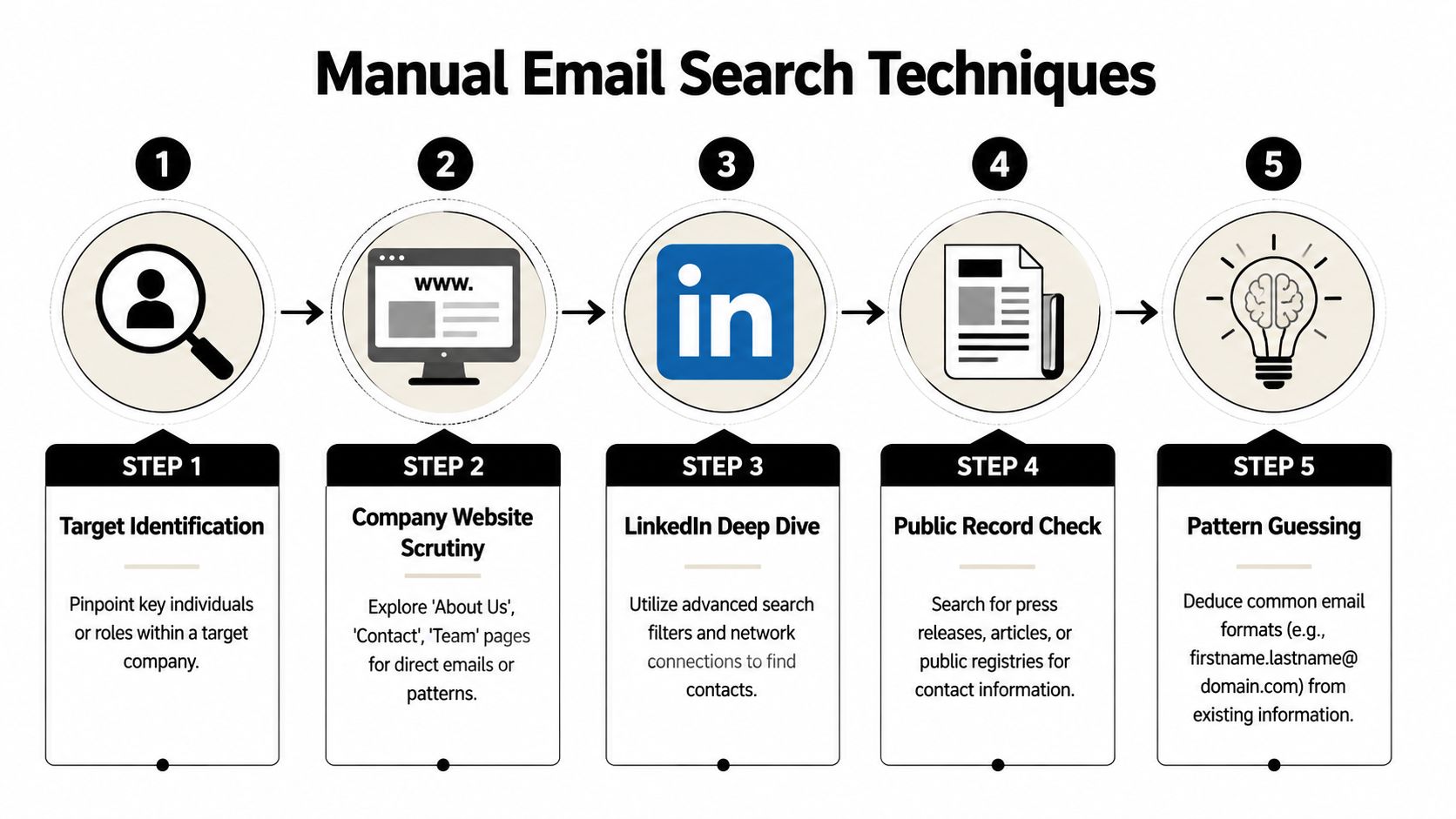
Start with the company, not the person
Most people start by searching the individual's name. Start with the company domain instead. The domain tells you how the organization publishes contact details, which pages are indexable, and whether staff emails follow a visible pattern.
Check team and leadership pages for named staff and exposed formats; press, media, and investor pages, since communications contacts are usually public by design; author bios on the blog; policy and legal pages, which occasionally expose a departmental address; and PDFs, because media kits, reports, and presentations leak addresses that never appear in navigation.
If one public email is visible, don't just copy it. Study the structure. A single address usually reveals the whole company's format.
Use search operators like an investigator
Plain Google searches are noisy. Operators tighten the signal:
site:company.com "Jane Doe"to search the company site directlysite:company.com "@company.com"to look for exposed addressessite:company.com filetype:pdf "@company.com"to target documents"Jane Doe" company.com emailto combine person and domain"Jane Doe" company.com -jobs -careersto exclude job listings
None of these guarantee anything. They surface overlooked pages, cached references, and documents that aren't in the site's own navigation.
LinkedIn helps even when it doesn't expose the address. Use it to confirm exact title, department, location, and current employer; that context sharpens your search terms and stops you from emailing a different Jane Doe entirely.
Build and test likely patterns
Pattern guessing works when you treat it as a hypothesis rather than a result. Common formats:
| Pattern | Example |
|---|---|
| first@domain.com | jane@company.com |
| first.last@domain.com | jane.doe@company.com |
| firstlast@domain.com | janedoe@company.com |
| f.last@domain.com | j.doe@company.com |
| firstl@domain.com | janed@company.com |
Find any public address on the domain, match its structure to your target's name, generate a short list of permutations, and hold all of them for verification before anything gets sent. A common format is not a working inbox; companies change naming conventions, merge domains, route aliases, and retire addresses constantly.
Manual search is strongest when the target is valuable enough to justify the care, and weakest when you need volume. That's where tools start earning their keep.
Where email finder tools help, and where they mislead
Finder tools are useful and easy to misuse. Teams buy a platform, trust the first result, and assume the workflow is solved.
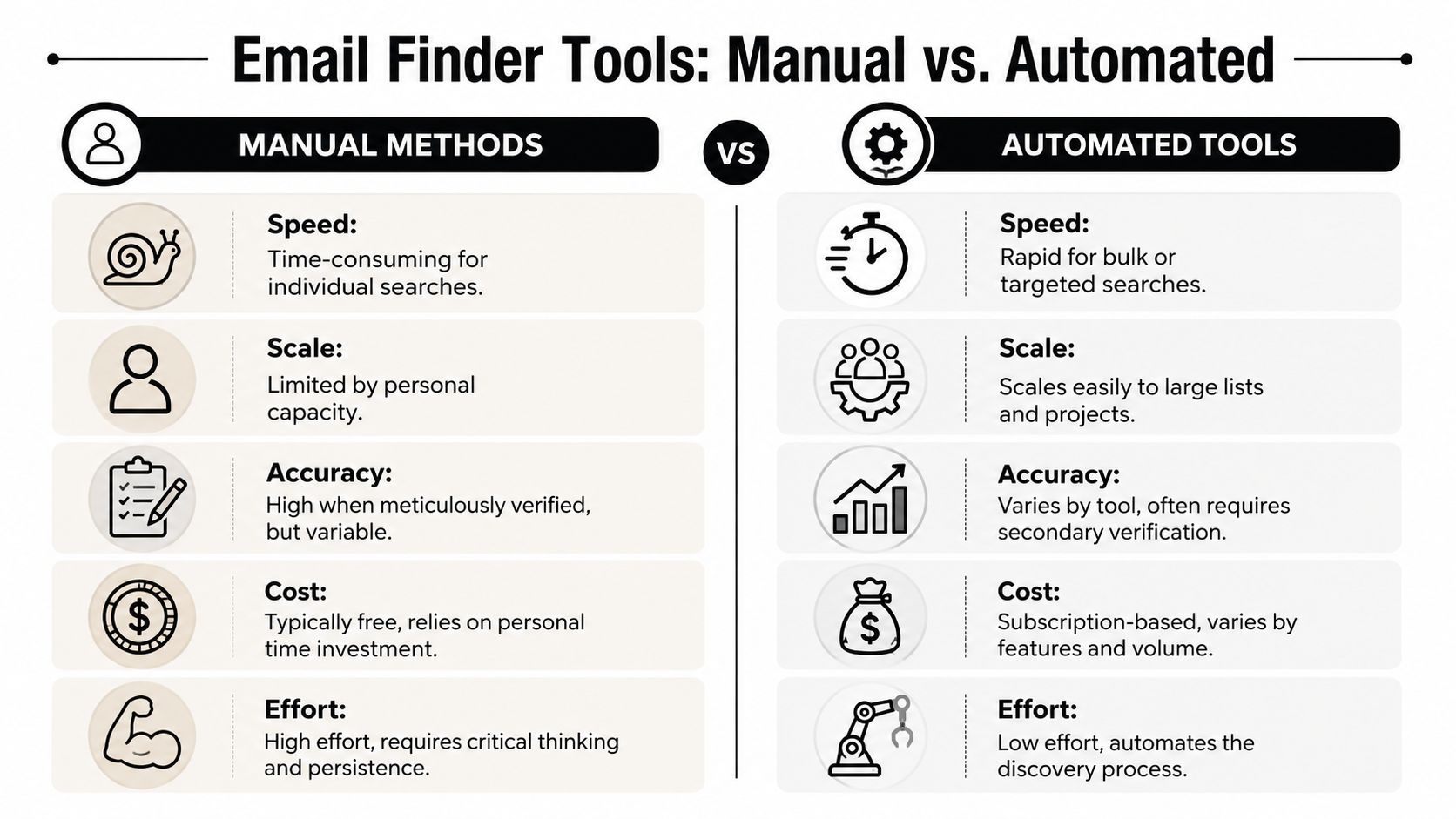
Browser extensions suit fast, human-led research: you're on a profile or a company site and want a likely address without switching tabs. They're good when you need a few contacts and the surrounding context helps you decide whether to reach out at all. Their weakness is consistency, since results vary by source quality, page type, and how much data the provider already holds for that domain.
Bulk finders fit teams building lists across accounts, territories, or campaigns; you upload names and domains and get batches back. What I like about them is the discipline they force, more than the throughput. Standardized fields, confidence indicators in one place, and clean handoff downstream. That process matters more than the lookup itself when you're optimizing B2B data operations, because enrichment, review, and segmentation are where list value is actually created.
APIs are for teams that don't want researchers doing repetitive lookups by hand; you wire discovery into forms, CRMs, or enrichment pipelines and let it run. The trade-off is distance from the raw data. The more automated the workflow, the easier it is to start treating a finder response as truth, which is exactly the failure this whole article is about.
A confidence score is not permission to send. Some tools infer addresses from public web evidence, others predict from patterns, and many blend both; a high-confidence result can still be a former employee, an alias, or a domain that accepts everything. Pick the tool by fit rather than by brand: an extension or single lookup for targeted outreach, a bulk finder with clean export controls for campaign prep, an API only when you also control verification and suppression downstream.
Verification is the step that decides everything
This is the part teams skip, rush, or misunderstand, and it's the part that determines whether the list stays usable.
Curated source lists can still help with initial research for niche targets like investors, founder-operators, or regional decision-makers; a directory such as email addresses for US investors is fine for discovery. Even then, every address stays untrusted until it passes verification.
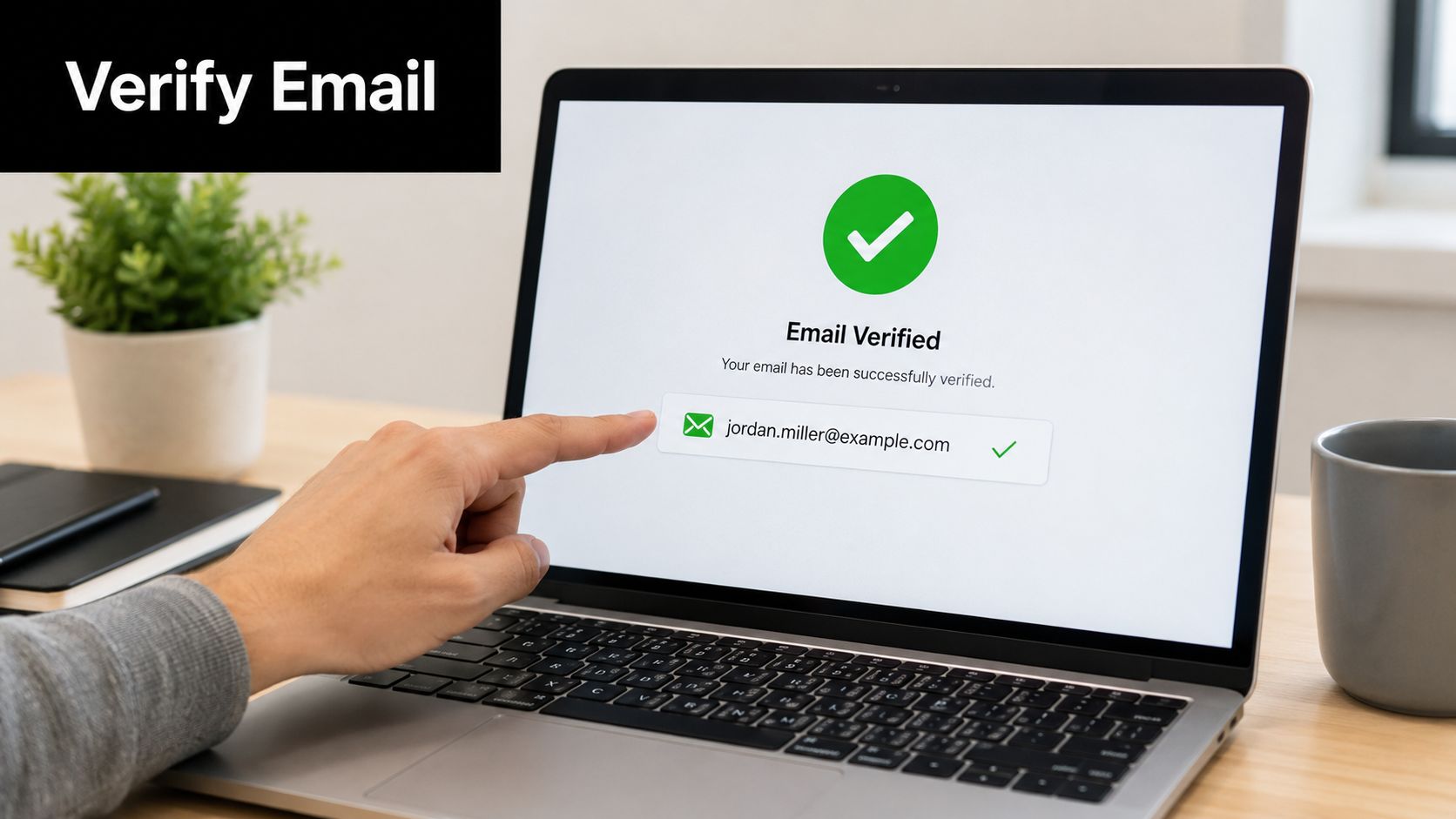
Verification is a set of technical and logic checks on whether an address is likely able to receive mail, and it goes well past spelling. A verifier looks at syntax validity, domain readiness, mailbox response signals, role and risk flags (support@, info@, catch-all environments), and disposable or low-trust patterns. The email verification glossary entry has the concise definition.
| Verification status | What it means | What to do |
|---|---|---|
| Deliverable | The inbox appears able to receive mail | Safe to consider for outreach |
| Risky or accept-all | The domain accepts broadly or returns ambiguous signals | Use caution or skip |
| Undeliverable | The address is not safe to send to | Suppress it |
Send only to deliverable. Everything else goes to review or suppression. That reads as conservative to anyone attached to list size, and it's the right kind of conservative, because the damage from bad addresses arrives after launch, once the sending account has already absorbed the cost.
Three ways teams get this wrong. They verify too early, then sit on the list, enrich it, merge files, and launch weeks later against data that no longer reflects reality. They treat verification as a replacement for judgment, when a deliverable address can still be the wrong person entirely. And they fall back on role-based addresses without thinking it through; info@ and hello@ are fine for routing and useless when your ask needs an owner. Keeping the list clean over time is a list hygiene problem, and it doesn't solve itself.
A repeatable workflow
One-off wins are nice; repeatable systems are what support pipeline. When teams struggle with finding peoples email address, the root cause is usually that every rep uses a different process. One guesses patterns, one exports from a finder, one imports a CSV with no verification notes, and the quality is whatever the last person happened to do.
A durable workflow has five parts:
- Prospect identification. Start with role, company, and reason to contact. Don't hunt for an address before you're clear on why this person belongs on the list.
- Discovery. Manual search for high-value accounts, finder tools when volume matters, and the source of every address recorded in the sheet or CRM.
- Verification, close to send time rather than at list creation. That's what keeps stale records out of live campaigns.
- Segmentation by audience, intent, and angle. A founder, a partnerships manager, and a procurement lead should not get the same email; the email list segmentation guide covers how to cut it.
- Import and launch prep. Only clean, segmented, verified records go into the sending platform. Everything else gets suppressed.
For a lean team, that means one owner for list hygiene, a suppression column for risky and role-based contacts, a recorded source and verification date on every row, and outreach lists kept separate from newsletter lists so the consent models don't blur.
A clean import should feel boring. If you're improvising during import, the upstream process wasn't tight enough. This is also where a sending platform enters the picture rather than earlier: Mailneo handles campaign sending and automation from connected inboxes, including Gmail, Outlook, Zoho, and custom SMTP/IMAP, after discovery and verification are done.
Keep outreach separate from newsletter logic
This gets ignored more than it should. A cold B2B message is a direct, purpose-driven contact decision; a newsletter is an ongoing subscription relationship. They should not share assumptions, fields, or compliance logic, and cold email vs warm email covers where the line sits.
My baseline rules are short. Have a clear business reason for contacting the person. Make the message relevant to their role and company. Identify yourself truthfully, with no misleading headers. Offer an easy way out. Don't recycle cold contacts into newsletter lists without a proper basis. If you want structural examples that respect those constraints, the cold outreach swipe file is a better starting point than anything you'll find in a template pack.
That protects more than compliance; it protects trust. People can tell the difference between a thoughtful business message and a system that grabbed their details and dropped them into the wrong machine.
The core job is starting a conversation with the right person without creating avoidable risk, which is why the workflow matters more than any individual trick. Manual research gives you context, tools give you speed, verification protects quality, segmentation makes the message relevant.
Teams that work this way usually end up with smaller lists than they expected, and lists they can actually trust. That's a good trade. When you treat finding peoples email address as a complete workflow instead of a scavenger hunt, the campaigns get sharper, the sender reputation stays healthy, and the person on the other end gets a message with a real reason to exist.
If you want a simpler way to run the last part of that workflow, Mailneo sends and automates campaigns from connected inboxes once your list is cleaned, verified, and segmented.
Explore: Email Marketing Strategy
Related Articles
Email list hygiene: how to clean your contact list
Email list hygiene is the ongoing practice of removing bad addresses (hard bounces, role-based, spam traps, long-term inactives) from your sending list so real subscribers see your mail. A quarterly cleanup routine typically pulls bounce rates below 1% and lifts inbox placement 10 to 20 points.
Email deliverability: the complete guide for 2026
Email deliverability is the rate at which your emails actually reach the inbox instead of the spam folder or a bounce log. This guide walks through the authentication, reputation, engagement, and monitoring levers that decide whether your next campaign gets opened.
Cold email vs warm email: when to use each
Cold email vs warm email comes down to consent and context. Cold email targets strangers for B2B outreach (response rates of 1-5%); warm email nurtures opted-in subscribers (open rates of 20-40%). Each has different legal rules, different metrics, and different tools.
How to segment your email list for better results
Email segmentation splits your subscriber list into smaller groups based on behavior, demographics, or lifecycle stage so every campaign feels specific instead of generic. Mailchimp's segmented campaigns see roughly 14% higher open rates than non-segmented ones; done right, segmentation is the most impactful thing most senders can do this quarter.
Ready to supercharge your email marketing?
Start sending smarter emails with AI-powered campaigns. No credit card required.
Get Started Free