How to Improve Click Through Rates in 2026
To improve click-through rates in 2026, start with your email CTR baseline, compare it against industry benchmarks, simplify each campaign around one clear action, segment by behavior, and use structured A/B testing to keep improving.

Want more clicks? Don't start by tweaking subject lines or swapping button colors. Start by finding out what's actually happening.
The reliable way to improve click-through rate is to establish a baseline first. Once you know where you stand, you can spot the real opportunities, set a goal that means something, and make changes that move a number instead of your mood.
Establish a baseline before you change anything
Tactical changes without a starting point are guesses with extra steps. The goal here is an honest read on current performance so that every subsequent decision is a strategic one.
Start with context. A good CTR in a heavily regulated industry looks nothing like a good CTR for a competitive e-commerce brand, and comparing yourself against an all-industries average is how teams end up either complacent or demoralized for no reason. Use the industry benchmark data and compare within your category; e-commerce and media and publishing behave differently enough that the same number means opposite things.
Then pull your own campaign reports and look past the vanity metrics. Two numbers matter here.
Click-through rate is the percentage of delivered recipients who clicked at least one link; it's your headline metric. Click-to-open rate is the percentage of openers who clicked, which tells you how compelling the content and CTA were once the subject line had already done its job.
Average those across your last 5 to 10 campaigns. That average is the starting line, and the only benchmark you're really competing against. Set a goal from it, decide what you'll change, and stop comparing yourself to strangers.
Anatomy of an email that gets clicks
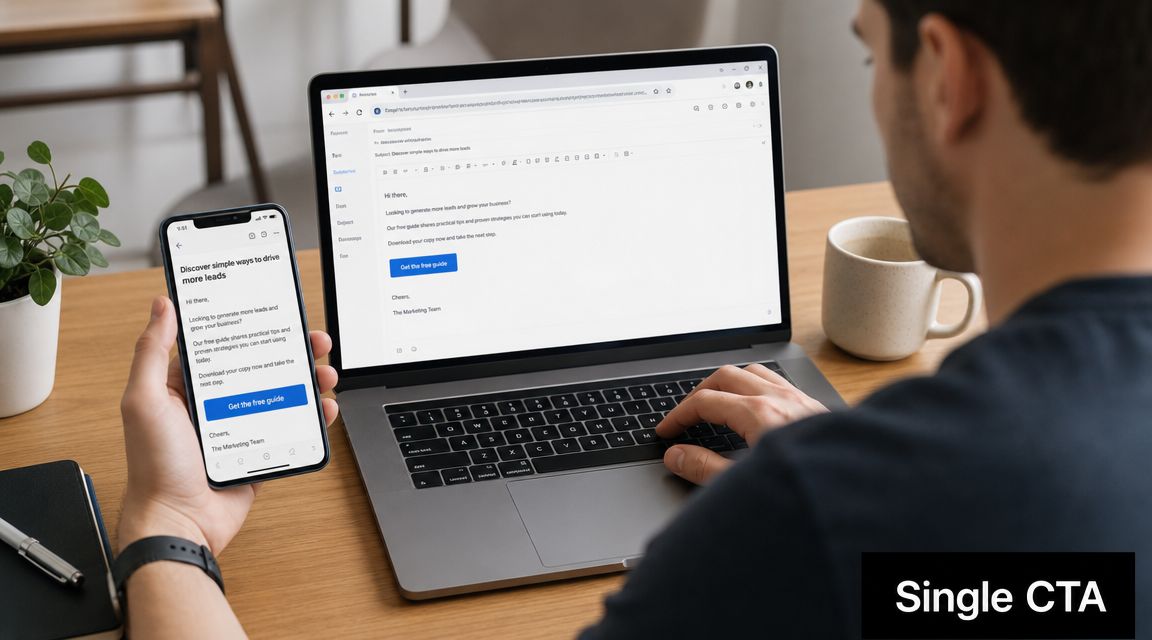
A great subject line earns the open; the body has to earn the click. The fastest lift in most programs comes from simplifying the message down to one unmissable objective.
A confused reader never clicks. The moment you offer several options you introduce decision fatigue, and the reader resolves it by closing the email. Every element, from the headline to the copy to the images, should funnel toward one action.
That principle is unglamorous and it works. One email, one topic, one target segment beats trying to be everything to everyone in a single send. It also makes measurement trivial; you know exactly what you tested and what success looks like.
Three components carry the weight. The subject line's job is to earn the click rather than just the open, which means real specificity instead of vague intrigue; the tactics are in the guide to writing email subject lines. The preview text should extend the subject line with a second reason to keep reading, not repeat the first one. And the call to action needs to be visually dominant, with action-oriented text and enough white space that the eye lands on it before anything else.
On the CTA specifically, I'd argue the button-versus-text-link question is settled for primary actions. A button wins nearly every time, because it's visually dominant and it survives a thumb on a small screen. Text links are still right for secondary actions like a policy link or an inline reference inside a sentence; they're wrong for the one thing you actually want people to do.
Design mobile-first while you're at it. Most email gets opened on a phone, which makes a large, easy-to-tap CTA non-negotiable. A clunky mobile journey converts opens into nothing.
Behavioral segments beat demographic ones
Blasting a generic message to an entire list is a reliable way to suppress CTR. If you want clicks, stop talking to a crowd; a [First Name] token is not a substitute for relevance.
The strongest segments are built on behavior rather than attributes, because what someone does predicts intent far better than who they are on paper. A group that bought running shoes in the last 90 days is a real audience for a campaign about socks and GPS watches. A cohort that activated one core feature but never touched the adjacent one is a real audience for a two-minute video about that feature. In both cases the segment definition already contains the message.
The mechanics of building those slices, including the filter logic, are in the guide to email list segmentation, and the deeper treatment of what to do inside the message is in email personalization. Behavioral segments also feed naturally into lifecycle automation; the prebuilt e-commerce flows show the standard triggers if you'd rather adapt than design from scratch.
There's a ceiling to inbox-only segmentation, though. Once the click happens, the landing page has to continue the same promise the email made. Someone who clicked a link about waterproof running jackets expects a page of waterproof running jackets, not your general outerwear category; the extra two clicks you've just added are where the conversion goes to die. Breaking that continuity is the fastest way to turn a hard-won click into a bounce, and it makes your conversion rate look like a copy problem when it's really a handoff problem.
Message match is worth auditing across the whole program once a quarter. Pull your ten highest-volume links, click each one as a subscriber would, and note where the page headline stops matching the email's language. In most accounts, at least two of the ten will have drifted since the campaign was built.
Build a system for continuous improvement
Improving CTR isn't a project you complete. It's a loop of testing, learning, and refining, and the loop needs to be repeatable enough that it survives a busy quarter.
A/B testing is the bedrock. Instead of guessing what your audience wants, you put two versions of one element against each other and let the clicks decide.
Four things are worth testing before anything else. Subject lines, where a question against a statement, or a curiosity angle against a direct one, usually produces the biggest swing. CTA text, where the verb does most of the work; "Shop now" and "Explore the collection" are different promises. CTA button design, testing a high-contrast color against the on-brand one to see what actually draws the eye. And copy length, since short frequently wins on clicks while complex products sometimes need the context to make clicking feel safe.
Emoji in subject lines is its own recurring argument, and the honest answer is that it depends entirely on the audience. They help a subject line stand out in a crowded consumer inbox and read as unserious on a formal B2B list. Test it rather than adopting a policy; the emoji subject line examples give you enough variants to run a real comparison.
Change one variable at a time. If you test a new subject line and a new button in the same experiment, you've learned nothing about either.
On test duration: run until each variation has accumulated enough clicks to distinguish a real difference from noise, and give it at least 24 hours so you're not reading a single time zone's behavior. Don't let it run for weeks either, because the longer it goes the more likely a holiday, a competitor's sale, or a seasonal shift contaminates the result. The A/B test calculator will tell you whether your sample supports the conclusion, and the full methodology is in the guide to how to A/B test emails.
What to do when CTR won't move
Sometimes the loop runs and the number stays flat. Three diagnostics, in order.
Check whether the problem is upstream. If opens are also weak, the issue lives in deliverability, sender identity, or targeting, and no amount of button testing will fix it. Healthy opens with weak click-to-open is the case where the email itself is genuinely the problem.
Check whether you're sending at a time your audience can act on. Timing rarely transforms a campaign, but it moves clicks at the margin, and the effect varies enough by audience that guessing is wasteful; the send time data by industry is a better starting point than the day your last campaign happened to go out.
Check whether the offer is worth a click at all. This is the uncomfortable one. A well-designed email asking someone to do something they don't want to do will produce a clean, well-tracked, disappointing result. Changing the offer beats optimizing the email more often than most marketers would like to admit.
Metrics context for all of this, including how CTR relates to the rest of the funnel, is in the guide to email marketing metrics.
Explore: Email Marketing Strategy
Related Articles
Email Marketing Metrics: The 2026 Guide
Six numbers run an email program: open rate, click-through rate, click-to-open rate, bounce rate, unsubscribes and complaints, and conversion with revenue per email behind it. Here is what each one diagnoses, in the order they break.
How to A/B Test Your Emails (Complete Guide)
Email A/B testing splits one campaign into two variants, sends each to a random slice of your list, and picks the winner based on statistical significance. This guide walks through what to test, how to size the sample, how to run the test, and how to avoid the four mistakes that make most 'winners' noise.
How to segment your email list for better results
Email segmentation splits your subscriber list into smaller groups based on behavior, demographics, or lifecycle stage so every campaign feels specific instead of generic. Mailchimp's segmented campaigns see roughly 14% higher open rates than non-segmented ones; done right, segmentation is the most impactful thing most senders can do this quarter.
Email personalization: beyond "Hi {First Name}"
Email personalization means adapting subject lines, content, offers, and send times to each subscriber using behavioral and lifecycle data, not just merge tags. Personalized campaigns drive 6x higher transaction rates (Experian), and 71% of consumers expect them (McKinsey). Real lift comes from behavior, not first-name swaps.
Ready to supercharge your email marketing?
Start sending smarter emails with AI-powered campaigns. No credit card required.
Get Started Free